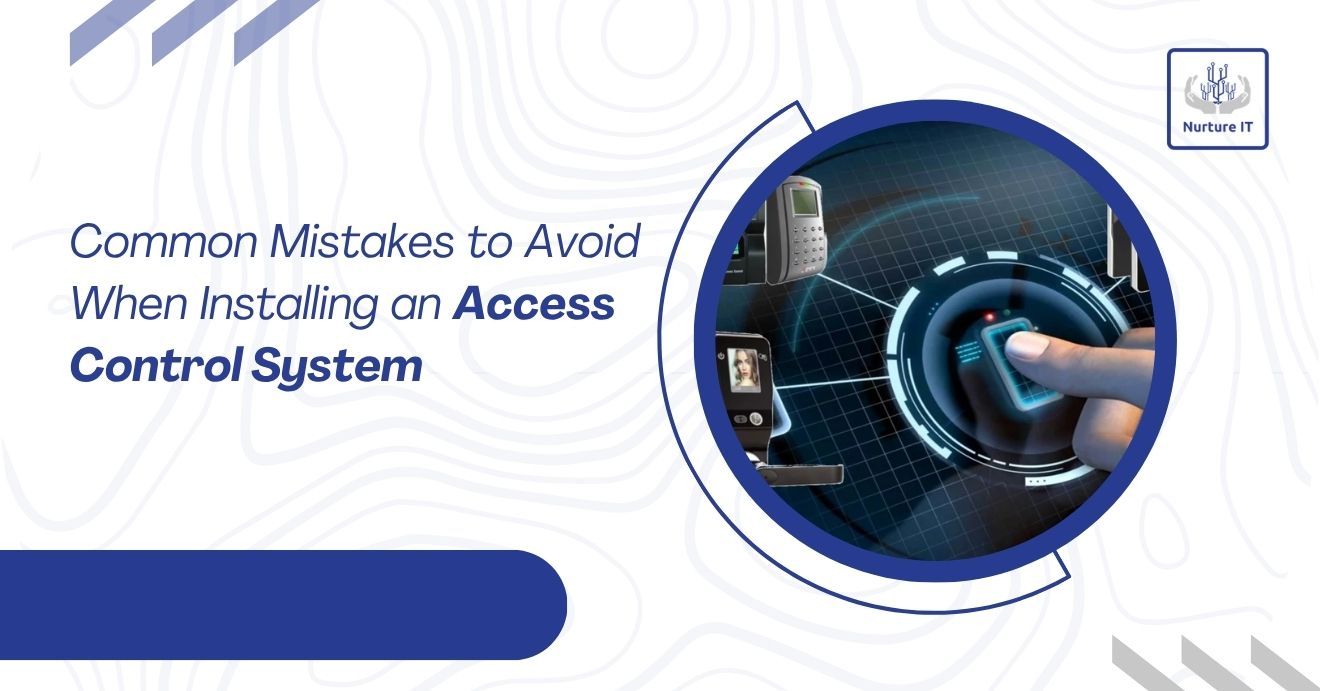
Common Mistakes to Avoid When Installing an Access Control System
Installing an access control system is an investment in safety, efficiency, and long-term operational control. However, many organizations make errors during planning or installation that compromise security, waste resources, or create operational inefficiencies. Understanding these common mistakes can help businesses maximize the effectiveness of their access control system.
In this guide, we highlight critical pitfalls to avoid, providing practical advice for businesses, facility managers, and security teams.
1. Skipping Proper Needs Assessment
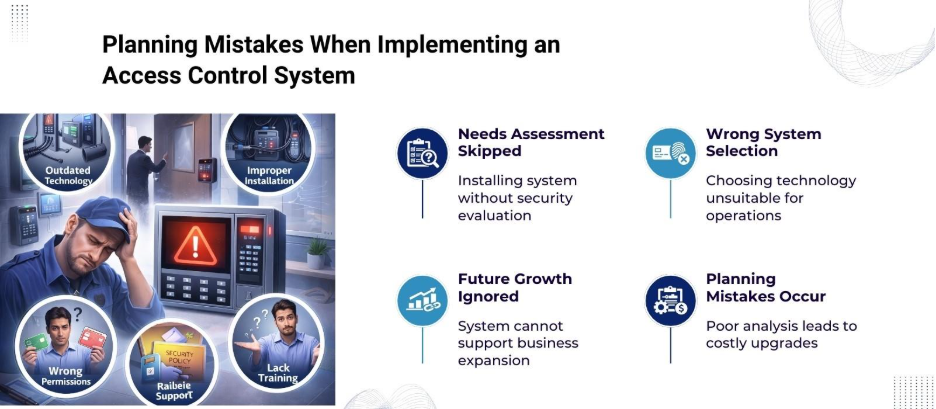
A major mistake is installing an access control system without first evaluating organizational requirements. Not all facilities require the same level of access control. Factors such as the number of entry points, user roles, and the types of areas needing protection must be considered.
Without a clear assessment, organizations may either overspend on unnecessary features or underperform by selecting a system that cannot handle their security needs.
Key questions to ask during assessment:
- How many users will need access?
- Which areas require restricted entry?
- Is integration with existing security systems needed?
- Should the system track user activity or provide audit reports?
Skipping this step can lead to a mismatch between system capabilities and organizational needs, causing costly upgrades later.
2. Choosing the Wrong Type of System
Access control systems come in various types: card-based, biometric, mobile-based, or multi-factor authentication. Selecting a system without considering the operational context can create inefficiencies.
For example, biometric systems are effective for high-security zones but may cause delays in high-traffic areas. Similarly, card-based systems can be lost or duplicated if not managed carefully.
Therefore, matching the system type to the facility’s usage patterns, security level, and budget is important. Consultation with security professionals before purchasing is highly recommended.
3. Poor Planning of Hardware Placement
Incorrect placement of access control hardware is a common mistake. Readers, keypads, and sensors must be strategically located to maintain security and usability.
Typical errors include:
- Installing readers where users must squeeze past obstacles.
- Placing sensors in areas with high environmental interference (e.g., direct sunlight, moisture).
- Overlooking emergency exits or secondary access points.
Planning hardware placement in alignment with traffic flow, environmental conditions, and safety codes minimizes operational issues and reduces system wear and tear.
4. Ignoring Network and Power Requirements
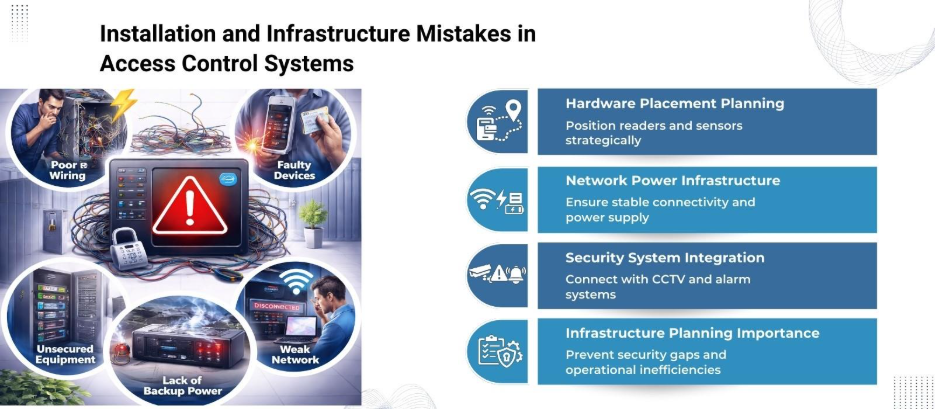
Modern access control systems often rely on network connectivity and power supplies. Poor planning can lead to frequent downtime or system failures.
Common errors include:
- Using insufficient power supplies for all devices.
- Running network cables in locations susceptible to interference.
- Not accounting for backup power during outages.
Therefore, access control systems must have a reliable power source and stable network connections. Integrating uninterruptible power supplies (UPS) or backup generators can prevent downtime in critical security scenarios.
5. Overlooking Integration with Existing Security Infrastructure
Many facilities already have CCTV cameras, alarms, or visitor management systems. Therefore, installing a standalone access control system without integration can create blind spots or require duplicated monitoring.
Benefits of integration include:
- Centralized monitoring for quick incident response.
- Automated alerts for unauthorized access.
- Enhanced audit trails and reporting.
Failure to integrate reduces the efficiency of security personnel and diminishes the overall value of the access control system.
6. Inadequate User Management Policies
An access control system is only as effective as the policies governing user access. Without strong policies, it leads to:
- Assigning access without clearly defining roles.
- Not removing access for former employees or contractors.
- Allowing generic credentials for multiple users.
Hence, a robust policy framework helps prevent unauthorized access and simplifies auditing. Maintaining accurate user lists and regular audits are critical steps for operational security.
7. Poor Training and Communication
Even the most advanced access control system will fail if staff does not know how to use it correctly. Security is often compromised by:
- Providing minimal training to end-users.
- Not offering ongoing support for new employees.
- Failing to communicate emergency protocols.
Investing in proper training improves compliance, reduces user frustration, and lowers the risk of human error compromising the system.
8. Neglecting Regular Maintenance
Like any security equipment, access control systems require regular maintenance. Neglect can lead to:
- Malfunctioning card readers or biometric scanners.
- Door locks failing at critical times.
- Software bugs affecting access logs.
Scheduling preventive maintenance and software updates helps maintain system reliability and extends equipment lifespan.
9. Not Planning for Scalability
Organizations often install access control systems without considering future growth. Expanding facilities or adding new access points may require system upgrades. Common oversights include:
- Choosing a system with limited expansion capabilities.
- Failing to account for additional users or locations.
- Overlooking software licensing requirements for growth.
Selecting a system that scales with organizational needs avoids costly replacements and system reconfigurations.
10. Underestimating Cybersecurity Risks
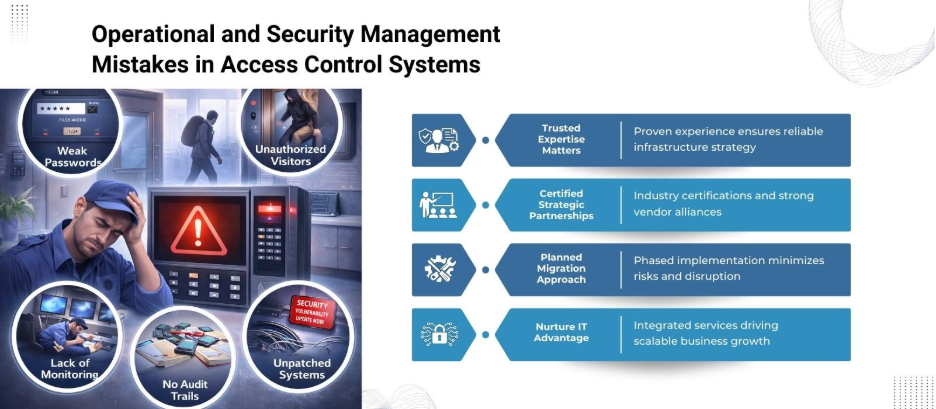
While modern access control systems offer network connectivity, they also introduce cyber vulnerabilities. Common security gaps include:
- Default passwords left unchanged.
- Lack of encryption for data transmitted over networks.
- Infrequent software updates and patches.
Cybersecurity should be treated with the same importance as physical security. Protecting access control systems from hacking protects sensitive data and maintains operational integrity.
Quick Reference Table: Common Access Control System Mistakes
| Mistake Category | Description | Impact if Ignored |
| Needs Assessment | Installing without evaluating facility needs | Wasted resources, underperforming system |
| System Type Selection | Choosing an incompatible technology (biometric, card, mobile) | Operational delays, security gaps |
| Hardware Placement | Poor positioning of readers, sensors, or keypads | User frustration, hardware damage |
| Network and Power Planning | Insufficient power or network infrastructure | System downtime, security breaches |
| Integration Neglect | Not connecting with CCTV, alarms, or visitor systems | Blind spots, duplicated monitoring efforts |
| User Management Policies | Poor access role definition or outdated user lists | Unauthorized access, audit failures |
| Training and Communication | Inadequate staff education and emergency protocols | Misuse, delays in emergency response |
| Maintenance | Lack of routine hardware and software upkeep | Malfunctioning equipment, reduced lifespan |
| Scalability Planning | Ignoring future expansion requirements | Costly upgrades, system replacement |
| Cybersecurity | Weak network security, default credentials, unpatched software | Data breaches, system compromise |
Final Thoughts
Installing an access control system is not just about buying hardware and software. It is a comprehensive process that requires careful planning, appropriate technology selection, user management, and ongoing maintenance. Avoiding these common mistakes helps organizations secure their premises, streamline operations, and protect valuable assets.
Ready to protect your organization with a smart access control system? Connect with Nurture IT today for expert guidance, customized solutions, and seamless installation support.
FAQs
1: How do I know which access control system is right for my business?
Evaluate your facility’s size, security needs, and user roles. Consulting experts like Nurture IT helps pick a system that fits perfectly.
2: Can I integrate an access control system with existing security cameras?
Yes, modern systems often integrate with CCTV, alarms, and visitor management systems to create a centralized security solution.
3: How often should an access control system be maintained?
Hardware and software should be checked regularly, ideally every 6–12 months, to prevent malfunctions and extend system lifespan.
4: What are common cybersecurity risks for access control systems?
Weak passwords, unpatched software, and unsecured network connections are major risks that can compromise both data and physical security.
5: Can an access control system scale as my business grows?
Yes, scalable systems allow adding users, doors, or locations without replacing the entire infrastructure. Choosing scalable solutions from the start avoids costly upgrades.