
How to Plan a Cisco Network Upgrade Without Business Downtime
Upgrading a network can feel like walking a tightrope for IT teams. While advanced network infrastructure can improve performance, security, and scalability, performing a Cisco network upgrade in a live business environment comes with risks. Downtime can disrupt operations, impact productivity, and even affect revenue. However, with careful planning and strategic execution, it is possible to upgrade your network while keeping your business operational.
In this blog, we will explore a step-by-step approach to planning a Cisco network upgrade that minimizes interruptions, along with key considerations for IT teams implementing Cisco networking solutions.
Why Upgrading Your Cisco Network Matters
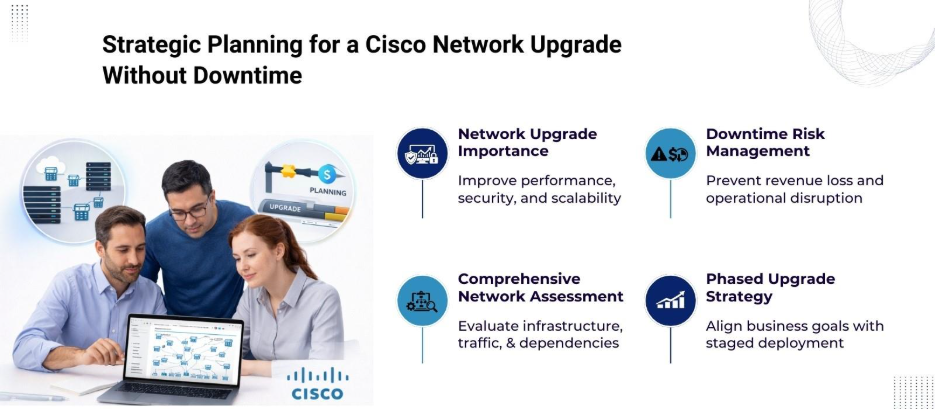
Network technology evolves rapidly, and outdated infrastructure can create vulnerabilities and performance bottlenecks. Upgrading Cisco hardware and software helps businesses stay competitive by improving data throughput, reducing latency, and strengthening security protocols. Additionally, implementing Cisco networking solutions introduces advanced features like automation, analytics, and centralized management, which help IT teams monitor network performance in real-time.
Despite these benefits, the biggest challenge remains: maintaining business continuity during the upgrade. Planning ahead and adopting a structured approach makes it possible to upgrade seamlessly without disrupting daily operations.
Step 1: Conduct a Comprehensive Network Assessment
Before starting the upgrade process, IT teams should perform a detailed assessment of the existing network. Key elements to review include:
- Network topology: Document the current design, including routers, switches, firewalls, and access points.
- Bandwidth and traffic patterns: Identify peak usage periods and critical business applications.
- Hardware and software inventory: List all Cisco devices and their firmware versions.
- Potential risks and dependencies: Note applications or services that could be affected during the upgrade.
This assessment provides the foundation for a risk-free upgrade plan and helps teams understand which parts of the network require immediate attention.
Step 2: Define Upgrade Goals and Objectives
Clear goals guide the upgrade process and align IT efforts with business priorities. Common objectives include:
- Enhancing network performance to support high-volume traffic
- Reducing latency for cloud-based applications
- Improving network security and compliance
- Enabling advanced features like network automation
When defining objectives, IT leaders should involve business stakeholders to prioritize upgrades based on operational impact. This collaboration helps prevent unnecessary downtime during peak business hours.
Step 3: Develop a Phased Upgrade Plan
A phased approach reduces risks and prevents widespread downtime. Consider dividing the upgrade into stages based on network segments, device types, or geographical locations. For example:
| Upgrade Phase | Description | Expected Impact |
| Phase 1 | Upgrade core switches and routers | Minimal impact; traffic rerouted through backup paths |
| Phase 2 | Upgrade distribution layer devices | Moderate impact; schedule during off-peak hours |
| Phase 3 | Upgrade access layer switches | Low impact; employees may notice temporary disruptions |
| Phase 4 | Implement advanced features | Minimal impact; mostly configuration updates |
Phasing allows IT teams to monitor each stage, troubleshoot issues, and adjust plans without affecting the entire network.
Step 4: Create Backup and Rollback Strategies
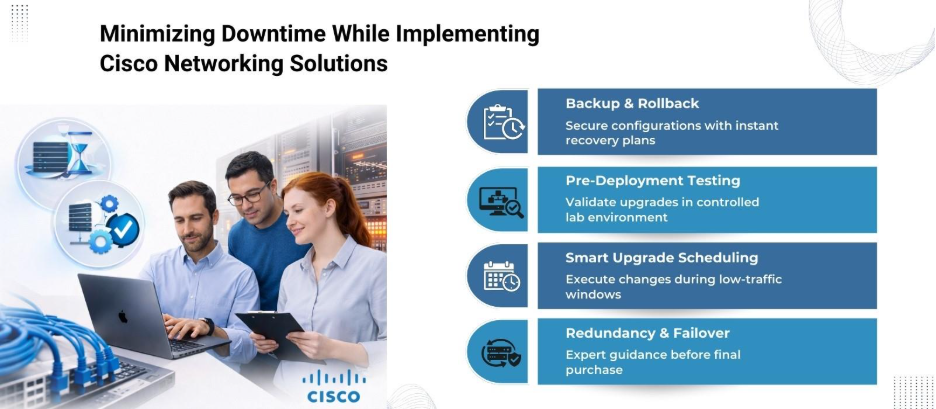
A solid backup plan protects the business in case unexpected issues arise during the upgrade. IT teams should:
- Backup device configurations and firmware
- Verify backup integrity
- Prepare rollback procedures to revert to previous configurations if necessary
By having a rollback plan ready, teams can act quickly to restore network functionality and prevent extended business interruptions.
Step 5: Test in a Lab Environment
Testing the upgrade in a controlled lab environment is critical. This step allows IT teams to:
- Validate firmware and software compatibility
- Identify potential configuration conflicts
- Measure performance improvements before deployment
Simulating real-world network traffic and scenarios ensures a smoother implementation and reduces the risk of disruption during live deployment.
Step 6: Schedule the Upgrade During Low-Traffic Periods
Timing plays a vital role in minimizing business downtime. While the goal is to avoid interruptions completely, scheduling upgrades during low-traffic periods reduces operational impact. Options include:
- Early mornings or late evenings
- Weekends or public holidays
- Planned maintenance windows
However, communication with employees is important. Notifying staff in advance about the upgrade timeline helps manage expectations and reduces frustration.
Step 7: Implement Redundancy and High Availability Features
Cisco networks offer redundancy and high availability options that allow traffic to flow uninterrupted during hardware or software upgrades. Features like:
- StackWise Virtual: Combines switches for seamless failover
- HSRP (Hot Standby Router Protocol): Provides backup routing paths
- Link Aggregation: Distributes traffic across multiple links
Using these technologies allows IT teams implementing Cisco networking solutions to perform upgrades without shutting down critical network paths.
Step 8: Monitor and Validate Post-Upgrade Performance
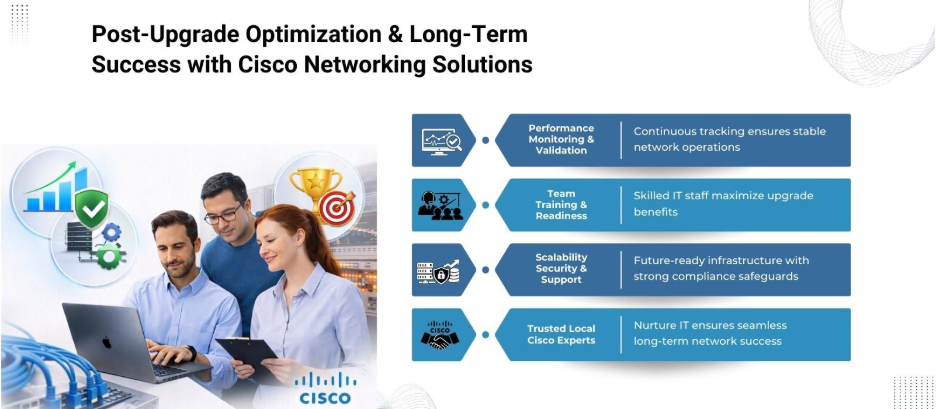
After completing the upgrade, continuous monitoring is necessary to confirm that devices are functioning optimally. Key actions include:
- Verifying firmware versions and device configurations
- Checking traffic flows, latency, and bandwidth usage
- Reviewing network logs for anomalies or errors
Post-upgrade validation ensures the network operates smoothly and that any minor issues are addressed promptly before they affect daily operations.
Step 9: Train IT Staff on New Features
An often-overlooked aspect of a Cisco network upgrade is team readiness. Training IT staff on new hardware, software, and advanced features maximizes the benefits of the upgrade. Knowledgeable staff can:
- Troubleshoot issues faster
- Optimize network performance
- Leverage advanced features for automation and monitoring
Key Considerations When Implementing Cisco Networking Solutions
When planning an upgrade, IT teams should keep the following factors in mind:
- Scalability: Plan upgrades that support future growth and increased traffic.
- Security: Apply the latest security patches and access controls during the upgrade.
- Compatibility: Verify that all Cisco devices and third-party integrations work together seamlessly.
- Documentation: Maintain accurate records of network changes and configurations for future reference.
- Vendor Support: Engage Cisco support if needed for technical guidance or troubleshooting.
These considerations reduce the likelihood of disruptions and support long-term network stability.
Benefits of a Well-Planned Cisco Network Upgrade
By following a structured, phased approach, businesses gain multiple advantages:
- Continuous network availability during upgrades
- Improved performance and reliability
- Reduced security risks with updated firmware
- Access to advanced features for automation, analytics, and monitoring
- Lower operational risk and faster problem resolution
Implementing Cisco networking solutions strategically positions a business to leverage modern network capabilities without interrupting operations.
Why Choose Nurture IT for Cisco Networking Solutions in Bangalore
At Nurture IT, we specialize in implementing Cisco networking solutions that keep your operations seamless and future-ready. Based in Indiranagar, we combine technical expertise, strategic planning, and industry best practices to deliver networks that perform reliably under any condition.
Our certified Cisco professionals provide end-to-end solutions – from designing and configuring networks to upgrades and optimization – all tailored to your unique business needs. Connect with us today to upgrade your network effortlessly!
FAQs
1. How can businesses minimize downtime during a Cisco network upgrade?
Scheduling upgrades during low-traffic periods, implementing redundancy, and using high-availability features reduces disruption.
2. What are the key objectives when upgrading a Cisco network?
Common goals include improving performance, enhancing security, enabling advanced features, and supporting business growth.
3. What redundancy features in Cisco networks help avoid downtime?
Technologies like StackWise Virtual, HSRP, and link aggregation maintain network continuity during upgrades.
4. How should IT teams backup their network before upgrading?
Backing up device configurations, firmware, and having a rollback plan allows quick recovery if issues occur.
5. Can network upgrades be customized for different business needs?
Yes, upgrades should be tailored based on network size, application criticality, and organizational goals.