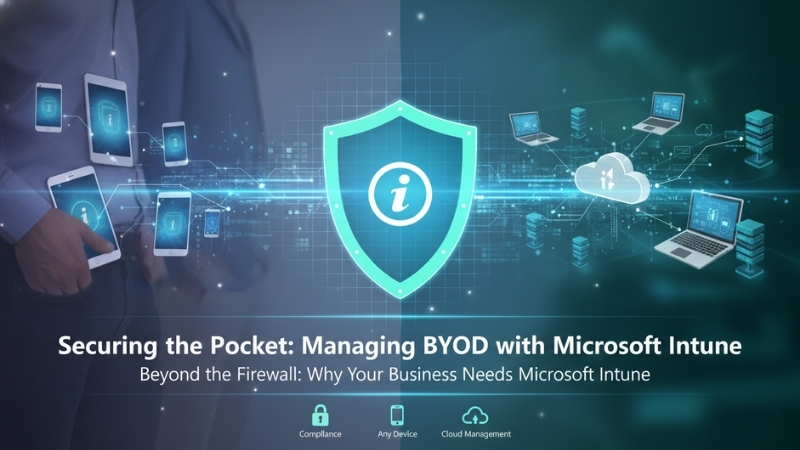
Why Your Business Needs Microsoft Intune – Managing BYOD Beyond the Firewall
Your biggest data breach might already be in your pocket. It isn’t hiding in your server room or buried deep within your firewall logs. Instead, it is likely sitting on a personal smartphone that connects to your company email every single morning. We are talking about the reality of Bring Your Own Device (BYOD).
Most organizations today allow employees to access Microsoft 365 or Google Workspace from their personal phones. It is convenient and keeps the team agile, but without Microsoft Intune, it is a massive security blind spot.
In many cases, these personal devices have no device compliance checks and no remote wipe capabilities. There is no encryption enforcement and zero monitoring from the IT department. Employees read sensitive emails, and suddenly, attachments are downloaded and cached onto an unsecured device.
The moment an employee adds a corporate Outlook account to their personal phone without proper controls, your data has stepped outside your protected environment. With Microsoft Intune, you can finally put a digital fence around that data before it disappears into the void of personal cloud backups.
The Hidden Risk of Unmanaged Devices
When corporate data lives on a personal device, it often auto-syncs into personal iCloud or Google Drive accounts. Now, your sensitive client data lives in places your IT team cannot even audit. If that phone is lost, stolen, or infected with malware, your perimeter is officially compromised.
This is not a technology problem; it is a policy gap. You do not need to stop BYOD entirely, as that is often unrealistic for a fast-moving startup. However, you do need a way to manage these endpoints. This is exactly where Microsoft Intune becomes a non-negotiable part of your stack.
If your employees are using personal phones for company work, you need a strategy for Mobile Device Management (MDM). By using Microsoft Intune, your company can manage and secure the entire device, ensuring that basic corporate guardrails are in place for everyone.
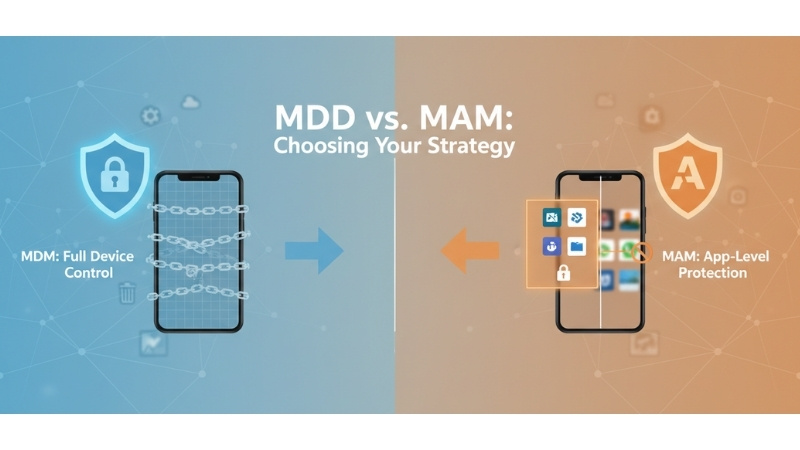
MDM vs. MAM: Choosing Your Strategy
Microsoft Intune offers flexibility through two main paths: MDM and MAM. MDM lets you enforce screen lock rules, require full-disk encryption, and block risky apps across the whole phone. It even allows you to remotely wipe the entire device if it goes missing.
However, full device control can feel intrusive for a personal phone. If your team is hesitant about the company “owning” their hardware, you can use Mobile Application Management (MAM) within Microsoft Intune. This focuses strictly on the apps, not the whole device.
MAM protects company apps like Outlook, Teams, or OneDrive without touching personal photos or WhatsApp messages. It can prevent users from copying and pasting work data into personal apps and block downloads to personal storage. It keeps the professional and personal lives of your team strictly separated.
Why Startups Need Microsoft Intune
Unsecured endpoints are open doors for attackers. As a Microsoft partner, we help startups and SMBs design and implement Microsoft Intune to close those doors. Whether you need full MDM control for company-issued hardware or subtle MAM policies for personal phones, the goal is the same: protection.
Implementing Microsoft Intune ensures that your corporate email stays in a secure container. You gain the ability to wipe only company data if an employee leaves the firm, leaving their personal memories intact. It is the most professional way to handle the “work from anywhere” culture.
If you are unsure whether your current setup is actually protecting your data, it is time for a look under the hood. A quick conversation can help you determine if your “pocket” is a productivity tool or a ticking time bomb for your data security.
As a Microsoft partner, we specialize in helping businesses deploy Microsoft Intune to secure their mobile workforce. Reach out to us at Nurture IT today to see how we can help you build a more resilient and secure IT infrastructure for your growing team.
About Nurture IT
Nurture IT, one of the leading IT service providers in Bangalore offers customized scalable technology solutions specifically designed for our client’s unique needs.
As a preferred partner to technology leaders like Lenovo, Dell, Apple, HP, Asus, Tata, Google, Microsoft, Cisco, Sophos, Jamf, Soti, Fortinet, Poly, Octa, Seclore, Seqrite we deploy the most advanced business technology solutions to ensure optimal reliability, productivity, and value.
Our B2B branch, Nurture IT, adeptly serves corporate and scaling-up demands. Conversely, for those not anticipating immediate growth, our Retail division – Laptop World caters to your specific needs. Make an informed choice aligned with your organizational trajectory and immediate necessities.