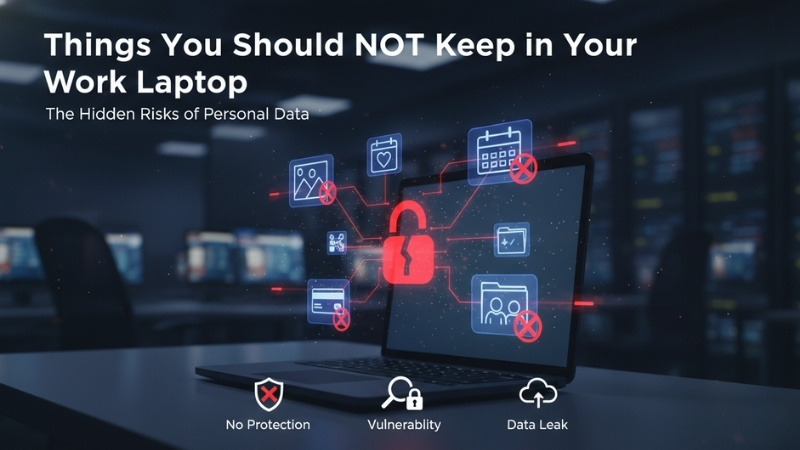
Things You should not keep in Your Work Laptop – The Hidden Risks of Personal Data
Your work laptop is for work. It should be as simple as that. However, as the lines between our professional and personal lives continue to blur – especially with remote and hybrid work – many employees have started using their corporate devices as personal catch-alls. Storing personal or unauthorized files on a company device is a massive gamble.
When you treat a corporate machine like a personal one, you risk your privacy, your digital safety, and potentially even your employment. Understanding the boundaries of Work Laptop Security is essential for any modern professional. It isn’t just about following company policy; it is about protecting your own private life from corporate oversight.
At Nurture IT, we see how easily data can bleed across platforms. Most companies have automated backups, remote monitoring, and IT audits. If you have personal data on that machine, you should assume it is visible to someone else. Here is why you need to keep your personal life off your professional hardware to maintain Work Laptop Security.
1. Private Photos and Videos
Your personal media is just that – personal. If you leave your laptop unattended or if IT admins access your system for a routine update, your private files could be exposed. There is no reason to have your last vacation photos or family videos sitting on a corporate drive where they compromise Work Laptop Security.
Instead, store them securely on your phone, an external drive, or a personal cloud storage service. By keeping these separate, you ensure that a routine IT ticket doesn’t turn into an embarrassing privacy breach. Keeping your personal memories off the clock is a basic rule of Work Laptop Security.
2. Illegal or Pirated Content
Pirated software, movies, or music not only violate company policies but can also introduce devastating malware. This is one of the fastest ways to bypass Work Laptop Security. If a virus enters the company network through a movie you downloaded, the paper trail leads directly back to your device.
Downloading unauthorized content on a work laptop is never worth the risk. If caught, you could face disciplinary action or even immediate termination. For the sake of your career and the company’s Work Laptop Security, stick to legal, authorized streaming services on your own personal devices.
3. Freelance Work or Personal Projects
Keep personal work strictly on a separate device. Your employer owns the hardware and, in many cases, the intellectual property created on it. To avoid legal headaches and maintain proper Work Laptop Security, ensure your side hustle stays on your own laptop and your own time.
4. Confidential Medical Records
Your medical history should always remain private. If your health records are stored on your work laptop, they could be accessed by IT admins or colleagues during troubleshooting. This leads to a massive lapse in Work Laptop Security and potential misuse of your most sensitive information.
Always store medical records on a personal, secure device.
5. Unauthorized Applications and Software
Installing unapproved software can create massive security vulnerabilities and directly violate company policies. Every piece of software you add is a new door that could be left unlocked, threatening the Work Laptop Security of the entire organization.
Always get IT approval before installing anything new on your machine. If you need to test a specific app for personal curiosity, do it on your personal laptop first. Keeping the corporate environment clean is the only way to ensure lasting Work Laptop Security for everyone in the firm.
6. Personal Emails and Messages
Using your work laptop for personal emails or private chats can seriously compromise your privacy. IT teams can monitor work devices, and leaving personal accounts logged in increases the risk of your private conversations being exposed. This is a common pitfall in Work Laptop Security.
Use a personal device for all private communication. Whether it’s a quick chat with a friend or a sensitive email to a lawyer, it does not belong on a corporate asset. Maintaining this boundary is the best way to ensure your Work Laptop Security doesn’t come at the cost of your personal life.
7. Unlicensed Fonts or Assets
Using unlicensed fonts, images, or creative assets in company work can lead to expensive copyright infringement issues. If you download a “free” font that isn’t licensed for commercial use, you are compromising the Work Laptop Security and legal standing of your employer.
Always ensure that any media you use is legally licensed to protect both yourself and your company. Using only approved, licensed assets keeps the company safe from unnecessary and costly litigation.
8. Personal Financial Details
Many companies use automatic cloud backups that sync everything to a corporate server. If your bank statements or tax documents are stored on your work laptop, they could end up in a central database where you have no control. This is a significant threat to your Work Laptop Security.
Worse, if a data breach occurs at your company, your financial details could be part of the leak. Your work laptop isn’t personal storage for your tax returns. Stick to work-related files only to ensure that your Work Laptop Security remains professional and your finances remain private.
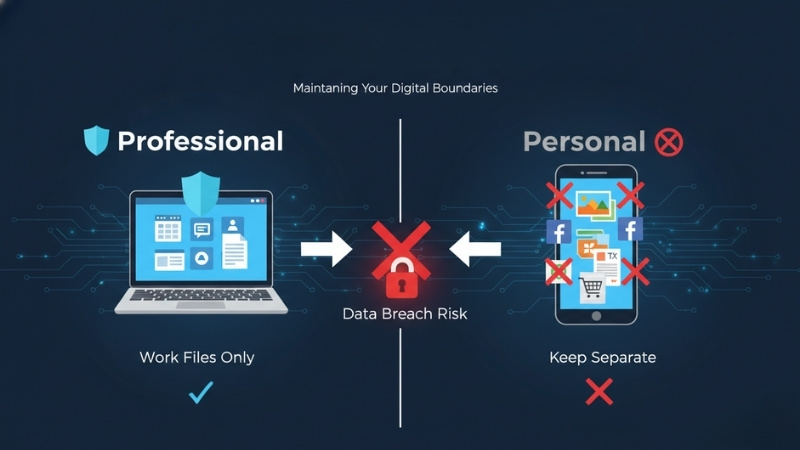
Maintaining Your Digital Boundaries
Your work laptop is a tool for your professional success, not a catch-all for your digital life. Don’t let a simple file-saving habit turn into a security breach or a career-ending mistake. Stick to work-related files only! If you’re unsure about your current device policy or need a professional security audit, reach out to us at Nurture IT today to see how we can help.
About Nurture IT
Nurture IT, one of the leading IT service providers in Bangalore offers customized scalable technology solutions specifically designed for our client’s unique needs.
As a preferred partner to technology leaders like Lenovo, Dell, Apple, HP, Asus, Tata, Google, Microsoft, Cisco, Sophos, Jamf, Soti, Fortinet, Poly, Octa, Seclore, Seqrite we deploy the most advanced business technology solutions to ensure optimal reliability, productivity, and value.
Our B2B branch, Nurture IT, adeptly serves corporate and scaling-up demands. Conversely, for those not anticipating immediate growth, our Retail division – Laptop World caters to your specific needs. Make an informed choice aligned with your organizational trajectory and immediate necessities.