Why the MacBook Keyboard Feels Better Than a Windows Laptop
Typing on a laptop is more than just pressing keys; it’s about comfort, speed, and accuracy. Over the years, Apple has consistently refined its MacBook keyboards to deliver an experience that many users describe as unmatched. From casual writers to professional developers, the tactile satisfaction of a MacBook keyboard sets it apart from typical Windows laptops. If you are looking to experience this premium typing experience firsthand, visiting Apple authorised dealers in Bangalore can give you the best insights.
The Evolution of MacBook Keyboards
Apple has continually reinvented the MacBook typing experience through these core hardware innovations:
Scissor Mechanism (Pre-2015 MacBooks)
Early MacBooks featured the scissor mechanism, which delivered stable key travel and satisfyingly consistent feedback.
Butterfly Mechanism (2015–2019)
Apple introduced the butterfly keyboard, aiming for a thinner design. While it had a mixed reception due to reliability issues, it marked the company’s willingness to innovate.
Magic Keyboard (2020–Present)
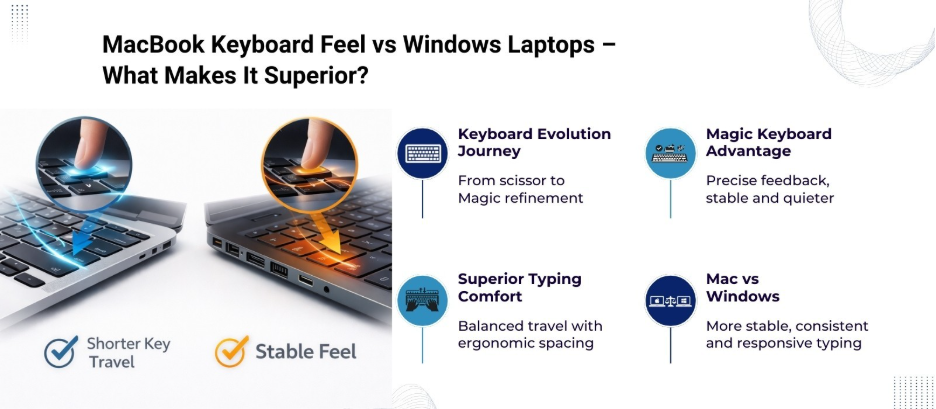
With the Magic Keyboard, Apple returned to an optimized scissor mechanism with 1 mm key travel. This provides a satisfying tactile response, precise feedback, and quieter typing.
Windows laptop manufacturers often experiment with key designs, but many fail to match the combination of stability, travel distance, and responsiveness that MacBooks provide.
Why Typing Feels Different on a MacBook
1. Key Travel and Feedback
Key travel is the distance a key moves when pressed. MacBook keyboards, particularly those with the Magic Keyboard, strike a balance between travel and resistance. Users experience smooth keystrokes without fatigue, unlike some Windows laptops that offer either too shallow or too stiff key travel.
2. Uniform Key Spacing
Apple pays attention to ergonomics and spacing. Every key is uniformly aligned, which reduces accidental presses. This attention to detail makes long typing sessions more comfortable compared to many Windows alternatives, where key spacing can be inconsistent.
3. Stable Base
MacBook keyboards sit on a solid base that prevents wobbling. Typing on Windows laptops, especially budget models, can feel mushy due to flexible chassis designs. The solid MacBook frame adds to the premium typing sensation.
Key Differences Between MacBook and Windows Laptop Keyboards
| Feature | MacBook Keyboard (Magic Keyboard) | Typical Windows Laptop Keyboard |
| Key Mechanism | Optimized scissor mechanism | Varies: membrane or scissor |
| Key Travel | ~1 mm | 0.5–2 mm (inconsistent) |
| Key Feedback | Crisp, tactile, quiet | Often soft or noisy |
| Ergonomic Spacing | Uniform spacing for comfort | Can vary, less ergonomic |
| Chassis Support | Rigid aluminum frame | Flexible plastic or hybrid frame |
| Durability | High (with Magic Keyboard) | Varies widely, often lower |
This table highlights why MacBooks feel more refined. The tactile feedback and solid support translate into faster typing, fewer errors, and less fatigue.
The Magic Behind the Keys
Apple invests heavily in research to perfect the feel of its keyboards. The Magic Keyboard uses a refined scissor mechanism with an optimized rubber dome under each key. This setup allows:
- Even pressure distribution: Each key responds consistently.
- Minimal wobble: Keys remain steady even under vigorous typing.
- Quiet operation: Keystrokes are subtle, which reduces typing noise in shared environments.
Windows laptops, especially budget models, often compromise on one or more of these aspects due to cost constraints or design trade-offs.
Why Professionals Prefer MacBook Keyboards
Many professionals in creative and technical fields prefer MacBooks over Windows laptops because of the typing experience. Key reasons include:
- Programmers: Precise keystrokes reduce syntax errors.
- Writers & Editors: Comfortable layout allows long hours of uninterrupted writing.
- Designers: Quiet keys avoid distractions during collaborative work.
Apple has built an ecosystem where hardware and software complement each other. The keyboard, in combination with macOS, provides a fluid, responsive, and intuitive typing experience.
Visiting Apple Authorised Dealers in Bangalore
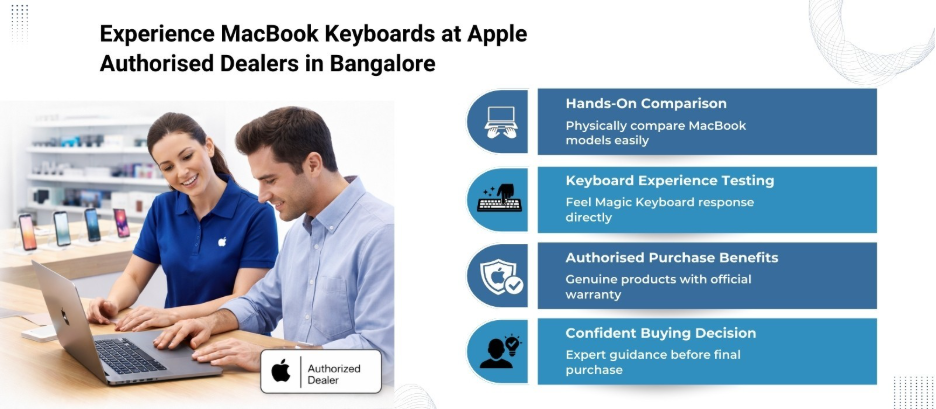
For anyone considering a MacBook, experiencing the keyboard firsthand is important. Apple authorised dealers in Bangalore, like Laptop World in Malleshwaram, offer the opportunity to try different MacBook models, compare typing feel, and get expert guidance on the best fit. We provide hands-on demos, detailed explanations of key mechanisms, and access to the latest MacBook models, so you can understand the difference compared to Windows laptops before making a purchase.
Visiting Laptop World also guarantees access to genuine Apple products, warranties, and support, which is not always the case with third-party sellers.
Top MacBook Air For Writers
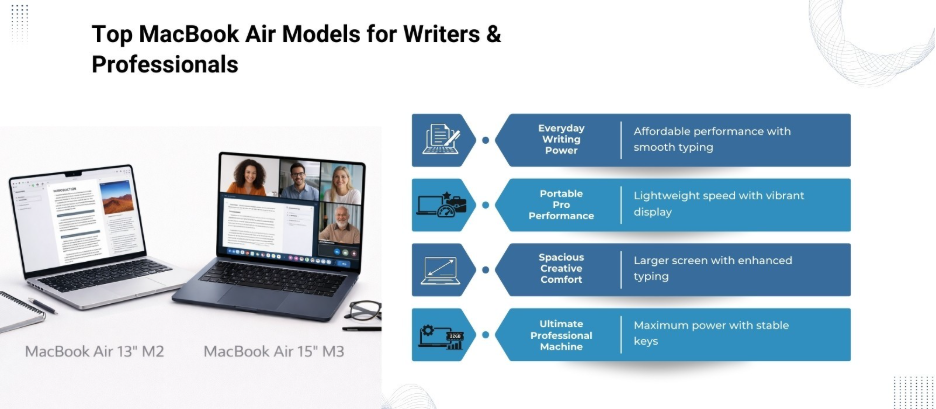
1. MacBook Air 13″ (M1, 2020)
SPECIFICATIONS
- Processor: 8-core CPU with 4 performance cores and 4 efficiency cores
- Graphics: 7-core GPU
- Display: 33.74 cm/13.3″ (diagonal) LED-backlit display with IPS technology
- Memory: 8GB, 16GB
- Storage: 256GB SSD, 512GB SSD, 1TB SSD, 2TB SSD
- Backlit Magic Keyboard with:
- 65 (US) or 66 (ISO) keys, including 4 arrow keys in an inverted-T arrangement
- Touch bar
- Touch ID
- Ambient light sensor
- Force Touch trackpad for precise cursor control and pressure-sensing capabilities; enables Force clicks, accelerators, pressure-sensitive drawing, and Multi-Touch gestures
2. MacBook Air 13″ (M3)
SPECIFICATIONS
- Processor: 8-core CPU with 4 performance cores and 4 efficiency cores
- Graphics: Up to 10-core GPU
- Display: 34.46 cm / 13.6″ (diagonal), Liquid Retina display, 2560×1664 pixels, 500 nits brightness, True Tone technology
- Memory: 16GB, 24GB
- Storage: 256GB SSD, 512GB SSD, 1TB SSD, 2TB SSD
- Backlit Magic Keyboard with:
- 65 (US) or 66 (ISO) keys, including 4 arrow keys in an inverted-T arrangement
- Touch ID
- Ambient light sensor
- Force Touch trackpad for precise cursor control and pressure-sensing capabilities; enables Force clicks, accelerators, pressure-sensitive drawing, and Multi-Touch gestures
3. MacBook Air 15″ (M2, 2023)
SPECIFICATIONS
- Processor: 8-core CPU with 4 performance cores and 4 efficiency cores
- Graphics: 10-core GPU
- Display: 38.91 cm / 15.3″ (diagonal) Liquid Retina display, 2880×1864 pixels, 500 nits brightness, Wide colour (P3), True Tone technology
- Memory: 8GB, 16GB, 24GB
- Storage: 256GB SSD, 512GB SSD, 1TB SSD, 2TB SSD
- Backlit Magic Keyboard with:
- 78 (US) or 79 (ISO) keys, including 12 full-height function keys and 4 arrow keys in an inverted-T arrangement
- Touch ID
- Ambient light sensor
- Force Touch trackpad for precise cursor control and pressure-sensing capabilities; enables Force clicks, accelerators, pressure-sensitive drawing, and Multi-Touch gestures
4. MacBook Air 15″ (M4)
SPECIFICATIONS
- Processor: 10-core CPU with 4 performance cores and 6 efficiency cores
- Graphics: 10-core GPU
- Display: 38.91 cm / 15.3″ (diagonal) Liquid Retina display, 2880×1864 pixels, 500 nits brightness, Wide colour (P3), True Tone technology
- Memory: 16GB, 24GB, 32GB
- Storage: 256GB SSD, 512GB SSD, 1TB SSD, 2TB SSD
- Backlit Magic Keyboard with:
- 78 (US) or 79 (ISO) keys, including 12 full-height function keys and 4 arrow keys in an inverted-T arrangement
- Touch ID
- Ambient light sensor
- Force Touch trackpad for precise cursor control and pressure-sensing capabilities; enables Force clicks, accelerators, pressure-sensitive drawing, and Multi-Touch gestures
Final Thoughts
The MacBook keyboard is a result of years of refinement, research, and user-focused design. From the optimized scissor mechanism to the ergonomic spacing and solid chassis, every element contributes to a superior typing experience. Whether you are a professional writer, coder, or designer, the tactile feedback, key stability, and comfort offered by MacBook keyboards outperform most Windows laptops.
If you want to experience this first-hand, visit Laptop World in Malleshwaram today!
FAQs
- Why should I buy Apple products from authorised dealers in Bangalore?
Buying from authorised dealers guarantees genuine products, access to Apple warranties, and professional support. Third-party sellers may not offer these benefits.
- How can I find the nearest Apple authorised dealer in Bangalore?
You can locate the nearest dealer via Apple’s official website or by searching “Apple authorised dealers in Bangalore” online for addresses, contact numbers, and working hours.
- Do Apple authorised dealers in Bangalore offer hands-on product demos?
Yes, most authorised dealers provide hands-on demos for MacBooks, iPhones, iPads, and accessories, allowing customers to experience products before purchasing.
- Can I get repair and service support at Apple authorised dealers in Bangalore?
Yes, authorised dealers can assist with repairs, troubleshooting, and warranty claims. They also provide official Apple-certified service solutions.