
Microsoft 365 Business Plans Explained: Which One Fits Your Organization?
If you’ve spent even ten minutes comparing Microsoft 365 Business plans, you know the feeling. Three tiers, overlapping feature lists, and a pricing page that shifts every few months. Add the July 2026 pricing and packaging update, and even IT-savvy founders end up guessing.
That’s why in this guide, we skip the marketing language and talk straight numbers, what each plan actually does for your team, and a simple way to decide. We’ll also cover why working with an established Microsoft Office dealer in Bangalore, rather than going direct, genuinely changes the outcome.
The Three Plans at a Glance
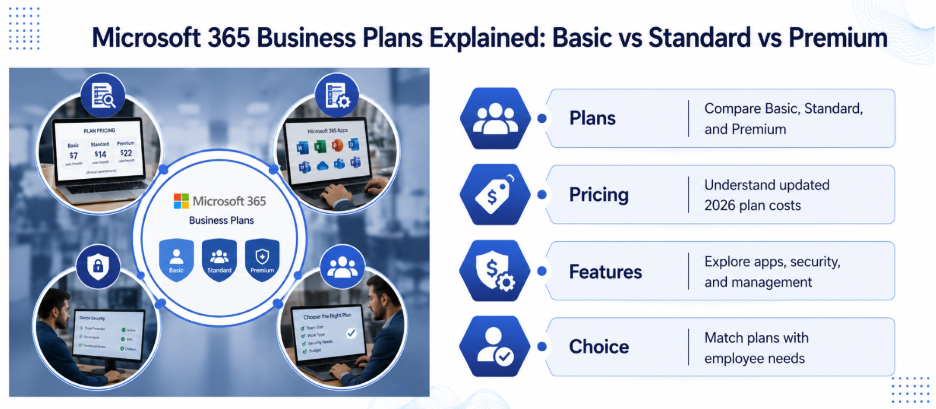
As of July 2026, here’s what Microsoft charges per user, per month, on an annual commitment:
- Business Basic: $7 (up from $6)
- Business Standard: $14 (up from $12.50)
- Business Premium: $22 (unchanged in this update)
All three include a professional email address on your own domain, Microsoft Teams, and 1 TB of OneDrive storage per user. All three are also capped at 300 users. When you cross that threshold, you’re shopping for Enterprise (E3 or E5) instead.
However, what separates the plans isn’t email or storage. It’s about whether you get installed desktop apps and how much built-in security and device management are bundled in.
Business Basic: Browser-First Teams
Business Basic gives you web and mobile versions of Word, Excel, PowerPoint, and Outlook with no installed desktop apps. For frontline staff, part-time employees, or anyone who mostly lives in a browser, that’s genuinely enough.
Where Basic falls short is serious document work. Large spreadsheets, offline editing, and heavy formatting all work better in desktop apps, which Basic doesn’t include. However, the 2026 update did add an extra 50 GB of mailbox storage and basic link-scanning protection for email — small but useful improvements.
Business Standard: The Office-Worker Default
Standard adds the full installed desktop apps for Windows, Mac, tablets, and phones. It’s the version most office workers actually expect when they hear “Microsoft Office.” It also throws in Bookings, Clipchamp, and Loop, plus support for webinars through Teams. A Microsoft Office dealer in Bangalore points everyday office staff straight to this tier by default.
However, neither Basic nor Standard includes device management or advanced security. If your team handles client contracts, financial records, or health data, that gap matters, and it’s exactly what Premium is built to close.
Business Premium: Security Built In
Premium includes everything in Standard, plus Microsoft Defender for Business (endpoint protection), Intune for mobile device management, and Entra ID (formerly Azure AD) Premium P1 for conditional access and multi-factor authentication enforcement. Bought separately, those tools would run roughly $17–22 per user, per month, on top of Standard. Premium bundles them for just $8 more, down from a $9.50 gap before the July 2026 update.
If your organization deals with regulated data or remote staff on personal devices, Premium usually pays for itself the first time it blocks a phishing attempt or a stolen laptop.
You Don’t Have to Put Everyone on the Same Plan
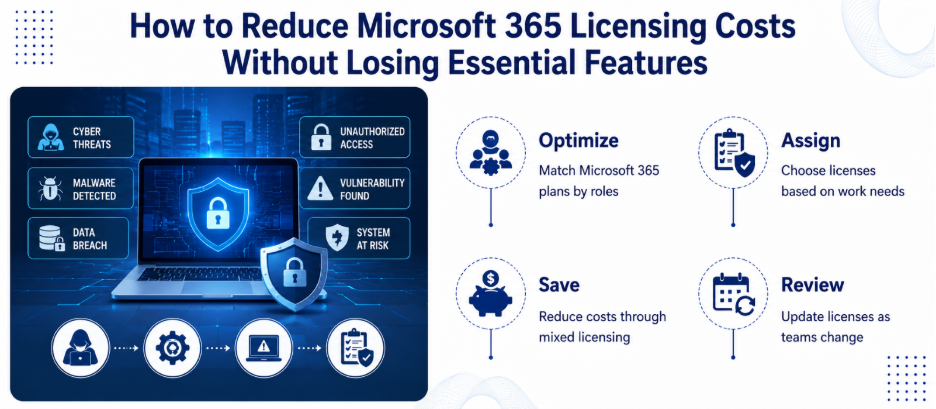
This is the part people miss most often. Mix licenses by role: frontline or part-time staff on Basic, office workers on Standard, and Premium reserved for anyone handling sensitive data or managed devices. A 20-person company that defaults everyone to Premium, instead of blending plans, can end up paying thousands more a year than needed.
Therefore, revisit the mix every few months as roles change. It’s one of the simplest ways to control cost as you scale.
Where Copilot Fits
Microsoft Copilot for Microsoft 365 isn’t bundled into any Business plan by default. It’s a paid add-on, and you need Business Standard or Premium (or an Enterprise plan) as the prerequisite base license before buying it. Pricing sits around $21–30 per user/month depending on the bundle, with promotional rates occasionally available for smaller organizations. Unless your team has a concrete use case today, it’s fine to defer this and revisit once core licensing is settled.
Why the Dealer You Choose Actually Matters
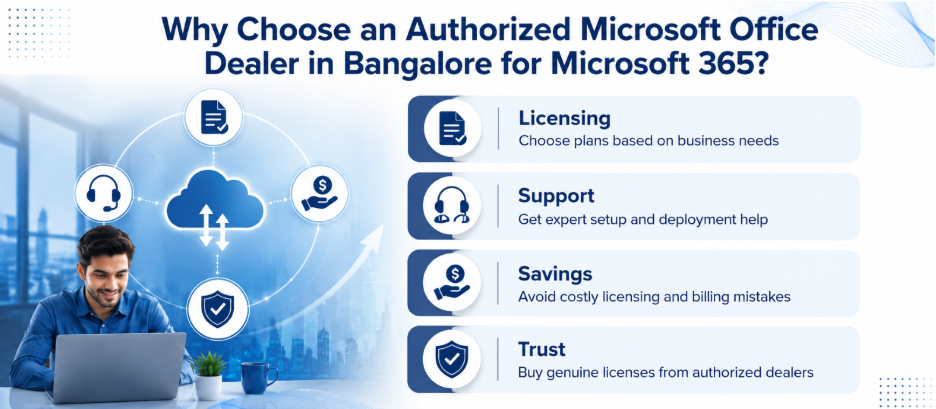
Here’s something comparisons don’t tell you. Getting the plan right on paper doesn’t help if the license gets set up wrong, billed incorrectly, or left unsupported after purchase. This is where working with a genuine Microsoft Office dealer in Bangalore pays off. A good dealer doesn’t just sell you a SKU — they look at your headcount, your data sensitivity, and your growth plans, then recommend a blend of plans instead of a one-size-fits-all tier. Nurture IT, for instance, is an authorized Microsoft Office dealer in Bangalore, which means tailored licensing advice and ongoing support.
Cheap, unauthorized resellers are the opposite risk. They often sell licenses with no ongoing support, and in some cases the software itself isn’t genuine.
The Bottom Line
Basic for browser-only staff, Standard for everyday office work, Premium for anyone touching sensitive data or working remotely on their own devices. Blend the plans by role instead of picking one tier company-wide. Get that mix right, and Microsoft 365 starts being infrastructure that works for how your team actually operates.
Talk to Nurture IT today to find the right Microsoft 365 solution for your business.
FAQs
1. What is the current price of Microsoft 365 Business Basic, Standard, and Premium in 2026?
Following Microsoft’s July 2026 update, Business Basic costs $7 per user/month, Business Standard costs $14, and Business Premium remains $22, all billed annually.
2. What’s the main difference between Business Basic and Business Standard?
Desktop apps. Basic only gives you web and mobile versions of Word, Excel, and Outlook. Standard adds the full installed desktop applications for Windows and Mac.
3. Is Microsoft 365 Business Premium worth the extra cost over Standard?
For most businesses handling client data, financial records, or health information, yes. Premium bundles device management and advanced security that would otherwise cost more if purchased as standalone add-ons.
4. How many users can be on a Microsoft 365 Business plan?
All three Business plans (Basic, Standard, Premium) are capped at 300 users. Beyond that, you’ll need an Enterprise plan like E3 or E5.
5. Is Microsoft Copilot included in Microsoft 365 Business plans?
No. Copilot is a separate paid add-on. You need Business Standard or Premium as the prerequisite license before you can purchase it.