Wi-Fi 7 vs. Enterprise Mesh: What Bangalore Offices Need for High-Density Workspaces
Today, Bangalore offices are becoming denser, more wireless, and more dependent on real-time applications. A single employee may have a laptop, smartphone, and other connected devices. Add video meetings, cloud applications, guest devices, and IoT equipment, and the wireless network can quickly become the busiest part of the IT infrastructure.
That raises an important question: Should a growing Bangalore office invest in Wi-Fi 7, or focus on an enterprise mesh architecture?
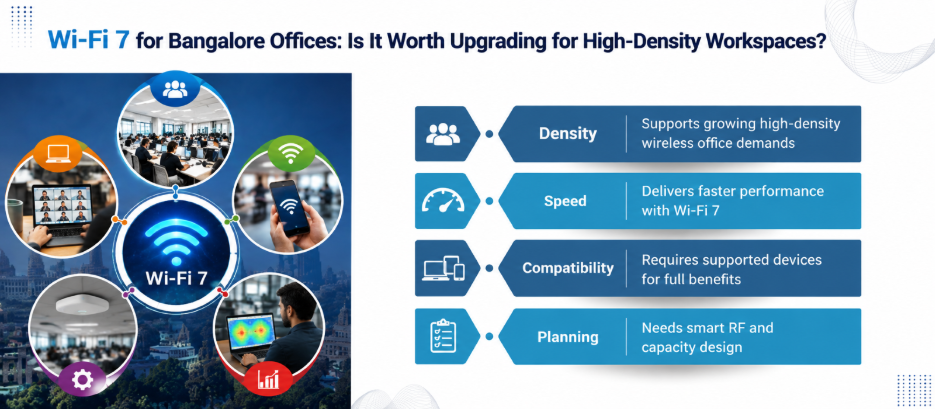
The answer is not simply “Wi-Fi 7 is newer, so buy Wi-Fi 7.”
For businesses evaluating networking companies in Bangalore, understanding this distinction can prevent an expensive technology mismatch.
Wi-Fi 7 and Enterprise Mesh Are Not Direct Alternatives
The first misconception to remove is that Wi-Fi 7 and mesh are competing standards.
They are not.
Wi-Fi 7, based on IEEE 802.11be, introduces technologies such as 4096-QAM, Multi-Link Operation (MLO), wider channels up to 320 MHz in the 6 GHz band, Multiple Resource Units, and preamble puncturing. These features can improve throughput, latency, and spectrum efficiency on compatible equipment.
Meanwhile, enterprise mesh describes a network architecture where wireless access points can use wireless links between nodes.
That means an office could theoretically have:
- Wi-Fi 7 access points with wired backhaul
- Wi-Fi 7 access points with wireless mesh backhaul
- Wi-Fi 6/6E access points with wired backhaul
- Wi-Fi 6/6E access points participating in a mesh architecture
So the real decision is not “Wi-Fi 7 or mesh?”
It is:
“What wireless standard, backhaul architecture and RF design best fit the office?”
Why High-Density Bangalore Offices Are Different?
A 30-person office and a 500-person technology floor do not have the same Wi-Fi requirements.
Coverage is only one part of the problem.
In a high-density workspace, dozens or hundreds of clients may compete for airtime within the same physical area. Employees may simultaneously use Microsoft Teams, Zoom, cloud applications, SaaS platforms, and large file transfers.
This creates an important distinction:
More Wi-Fi coverage does not automatically mean more Wi-Fi capacity.
Adding access points without proper RF planning can actually create additional interference.
That is why businesses should start with a wireless assessment rather than simply counting access points.
Where Wi-Fi 7 Has a Real Advantage
Wi-Fi 7 becomes interesting when the client devices and applications can take advantage of its capabilities.
1. Higher throughput
Wi-Fi 7 supports 4096-QAM, compared with 1024-QAM in Wi-Fi 6. Under appropriate signal conditions, this can increase the amount of data transmitted per symbol.
It also supports channels up to 320 MHz in the 6 GHz band.
However, there is an important catch.
A 320 MHz channel is not automatically better for every office. Wider channels consume more spectrum and may not be the best choice in dense deployments where frequency reuse and interference management matter.
2. Multi-Link Operation
MLO enables compatible devices to operate across multiple links or bands. For a high-density office, this can become valuable as Wi-Fi 7 client adoption grows.
But MLO is only useful when both infrastructure and client devices support the relevant capabilities. Therefore, replacing access points alone will not magically provide every Wi-Fi 7 benefit.
3. Better interference management
Wi-Fi 7 introduces features like preamble puncturing. Instead of abandoning an entire wide channel when part of it is affected by interference, the affected portion can be excluded while other parts remain usable.
That is especially relevant in busy RF environments.
Where Enterprise Mesh Makes Sense?
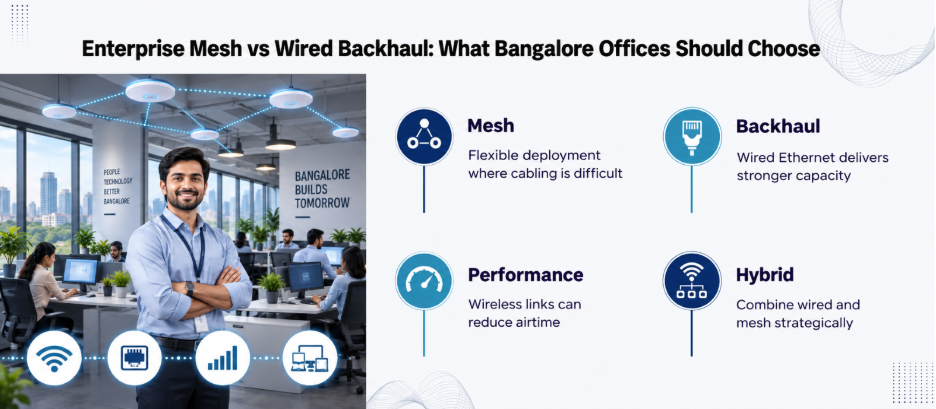
Mesh has a different strength: deployment flexibility.
Consider an office occupying a large building where installing Ethernet cabling to every access point would require significant construction work.
A mesh architecture can use wireless links between access points and reduce the amount of physical cabling required. This can be useful in:
- Temporary office expansions
- Older buildings
- Warehouses
- Large spaces where cabling is difficult
- Areas where installing additional network drops is expensive
But there is a trade-off.
The wireless backhaul itself consumes radio resources. Depending on the architecture and radio design, an access point may have to share wireless capacity between serving clients and communicating with its upstream mesh node.
For a very dense office, that can make wired backhaul preferable whenever practical.
This is one reason the best enterprise deployment is often not “mesh everywhere.”
The Better Architecture for Many Bangalore Offices
For a high-density corporate workspace, a strong starting point is:
Wi-Fi 7 access points + wired Ethernet backhaul + properly designed switching + centralised management.
Mesh can then be used selectively where wired connectivity is impractical.
This approach separates two decisions:
Wireless technology: Wi-Fi 6E, Wi-Fi 7, or another appropriate generation.
Backhaul: wired Ethernet or wireless mesh.
That is a much more useful way to evaluate proposals from networking companies in Bangalore.
Security Should Be Part of the Decision
High-density wireless networks increase the number of connected endpoints.
That makes segmentation and access control important.
Therefore, a modern enterprise WLAN should consider separate policies for:
- Corporate devices
- Guest users
- BYOD
- IoT equipment
- Contractors
- Network administration
Wi-Fi 7 itself does not replace network security architecture.
For example, WPA3 support is available in current enterprise Wi-Fi 7 equipment, but authentication, segmentation, firewalling, monitoring, and identity policies still need to be designed as part of the wider network.
Our Cisco network security guide provides additional context on how networking and security technologies work together.
What Should Bangalore Businesses Do Now?
For a new high-density office, Wi-Fi 7 is worth serious consideration, particularly if the device fleet is being refreshed and applications are becoming more bandwidth- and latency-sensitive.
For an existing office, start with a wireless assessment.
Measure actual performance. Look at client density, channel utilisation, interference, roaming behaviour, wired uplinks and application traffic. Then determine whether the problem is insufficient capacity, poor RF design, inadequate backhaul, internet congestion, or something else.
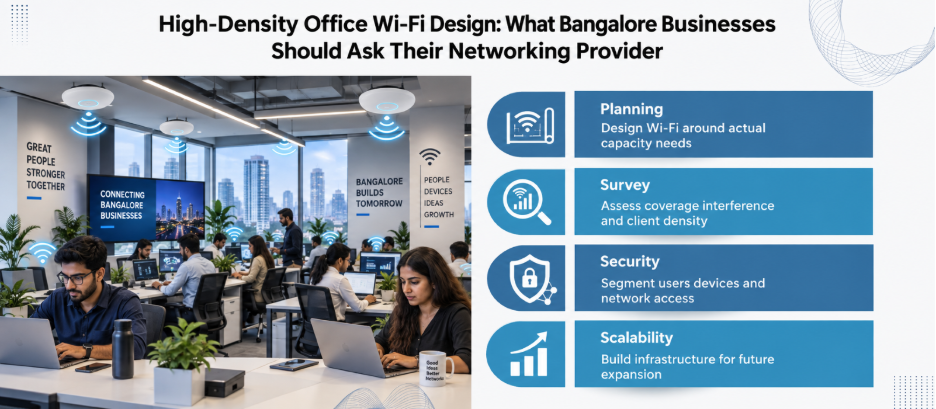
Businesses comparing networking companies in Bangalore should therefore ask prospective providers for more than a hardware quotation.
Ask for:
- A site survey.
- A capacity-based AP design.
- Client compatibility analysis.
- Channel and RF planning.
- Wired-backhaul recommendations.
- PoE and switching requirements.
- Security and segmentation design.
- Future expansion plans.
- Monitoring and support options.
- A clear explanation of expected performance.
The Bottom Line
For most high-density Bangalore offices, the smartest answer is not Wi-Fi 7 versus enterprise mesh. It is Wi-Fi 7 where the capacity and client requirements justify it, with wired backhaul wherever practical, and mesh used strategically where cabling constraints make it valuable.
The winning network is not necessarily the one with the newest access points. It is the one designed around how people actually work.
Need a network designed for how your team actually works? Get in touch for a site assessment.
FAQs
1. Is Wi-Fi 7 suitable for high-density offices?
Yes. Wi-Fi 7 includes features designed to improve efficiency and performance in demanding environments. However, AP placement, channel planning, client density, and backhaul are still non-negotiable.
2. Does Wi-Fi 7 require 6 GHz?
No. Wi-Fi 7 can operate across the 2.4 GHz, 5 GHz, and 6 GHz bands, depending on the equipment and regulatory environment. The 320 MHz channel width is associated with the 6 GHz band.
3. Does every laptop benefit from Wi-Fi 7?
No. The client device also needs compatible Wi-Fi 7 hardware and software support to use Wi-Fi 7-specific capabilities.
4. Is mesh recommended for a corporate office?
Mesh can be useful where running Ethernet is difficult. For high-density environments, wired backhaul is often preferable when practical because wireless backhaul consumes radio resources.
5. How many Wi-Fi 7 access points does an office need?
There is no reliable universal number. AP count depends on floor layout, building materials, client density, application requirements, RF conditions, and capacity targets.