Server Room Design 101: Power, Cooling, and Space Optimization for Growing Offices
Planning an office rarely gives the server room much attention. At first, a rack, a network switch, a UPS, and a few servers may seem like enough. Then the company grows. More employees arrive, storage requirements increase, networking equipment multiplies, and suddenly the “small IT room” becomes one of the most operationally important spaces in the building.
This is where working with experienced IT infrastructure service providers in Bangalore can make a meaningful difference. Good server-room design is not about filling a room with expensive hardware. It is about managing power, heat, and space intelligently.
1. Start With the IT Load, Not the Room Size
One of the most common mistakes is deciding how much server-room space is available and then trying to fit the technology into it. But you need to reverse the process.
Start by documenting:
- Number and type of servers
- Network switches and routers
- Storage systems
- Firewall and security appliances
- UPS requirements
- Expected rack count
- Current power consumption
- Expected equipment additions over three to five years
A small company might initially need only one or two racks. However, if expansion is likely, designing around the current rack count can create expensive constraints later.
That’s why IT infrastructure service providers in Bangalore should get involved before anyone finalizes the room layout.
2. Treat Power as a System
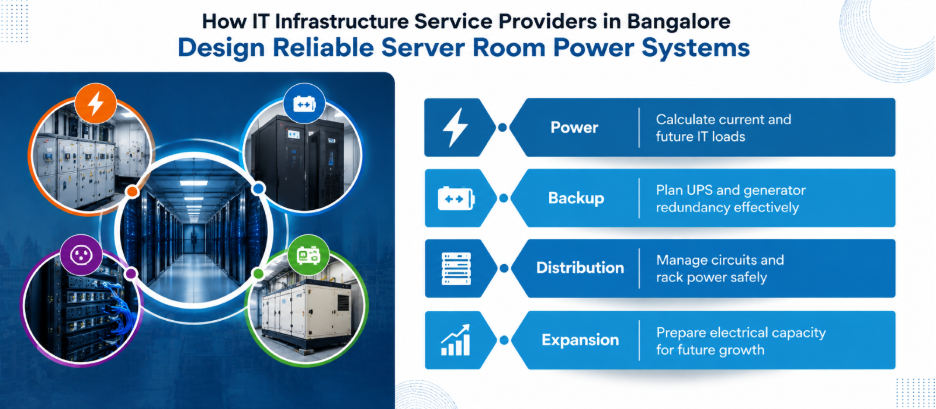
A server room isn’t only a collection of electrical sockets. Your power setup needs to handle your actual load, leave room for future growth, and seamlessly tie together your UPS, distribution, protection, and backup plans.
Therefore, consider:
Dedicated electrical circuits: IT equipment should not casually share circuits with office appliances like printers, pantry equipment or high-load HVAC equipment.
UPS protection: A UPS provides short-duration power continuity and protects equipment from disturbances like voltage sags, spikes and brief outages. It is not a substitute for a generator where extended backup is required.
Power distribution: Rack-mounted power distribution units (PDUs) provide organized power delivery to equipment and make rack-level monitoring and management easier.
Generator integration: When your business operations need steady, non-stop power, you should design your UPS and generator strategy together.
That’s what IT infrastructure service providers in Bangalore can help you with.
3. Cooling Is About Airflow, Not Just Temperature
Putting an air conditioner in a server room does not automatically solve the cooling problem.
Servers convert electrical energy into heat. As equipment density increases, the amount of heat that needs to leave the room increases as well.
Therefore, these are the practical priorities for a growing office:
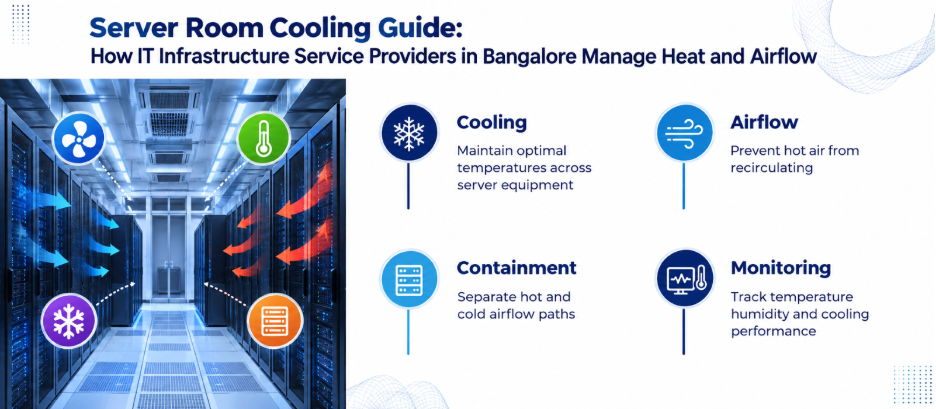
- Measure temperature at equipment air inlets.
- Monitor humidity or, preferably, dew point where appropriate.
- Prevent hot exhaust air from being pulled back into server intakes.
- Keep server fronts facing the cold-air supply.
- Keep rear exhaust areas clear.
- Seal unnecessary openings that allow uncontrolled air mixing.
A hot-aisle/cold-aisle arrangement can make airflow more predictable. Containment can go further by separating supply and exhaust air paths, particularly as rack density rises.
For higher-density deployments, conventional room cooling may not be sufficient. In-row or other targeted cooling approaches can become more appropriate as heat density increases.
4. Design the Rack Layout for the Person Who Has to Fix It
A technically functional rack can still be a maintenance nightmare.
Therefore, leave sufficient clearance around racks for technicians to work safely. Avoid placing equipment where doors, electrical panels, cooling units, or other infrastructure block access.
Cable management deserves particular attention. Separate and label:
- Power cables
- Copper network cables
- Fibre connections
- Management connections
Use appropriate cable-management accessories and document important connections. Avoid creating huge bundles simply because they look tidy from the outside. Dense cabling can complicate troubleshooting, restrict airflow, and make future changes slower.
5. Don’t Waste Vertical Space
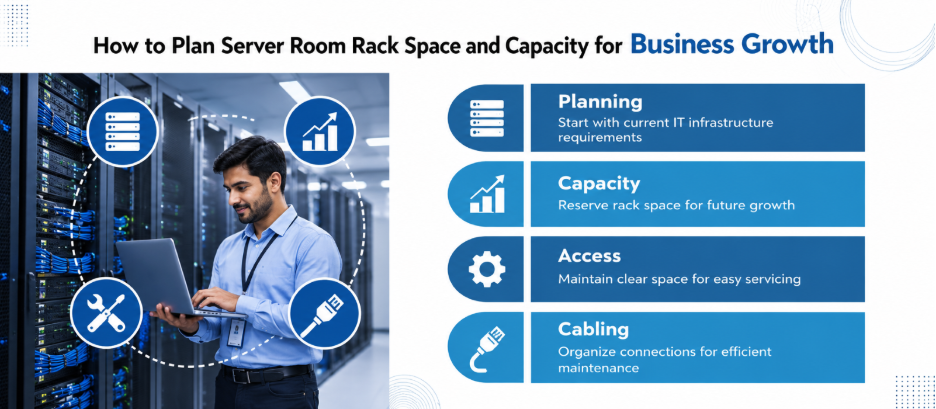
Floor space in server rooms is always limited, but racks provide valuable vertical capacity. Therefore, use properly specified racks and plan rack units carefully.
Create a simple rack elevation showing:
- Equipment occupying each rack unit
- Available rack units
- Network patch panels
- Switch locations
- PDUs
- UPS equipment where rack-mounted
- Future expansion positions
Do not fill every available rack unit on day one.
Leaving expansion capacity may appear inefficient initially, but it can prevent disruptive rearrangement when the company grows.
Our guide on preparing for IT infrastructure scaling similarly emphasizes forecasting workloads, evaluating scalability, and planning before capacity limits become operational problems.
6. Think Beyond Servers
A server room contains more than servers. Therefore, assess the physical location of:
- Network termination points
- Patch panels
- Internet connections
- Firewalls
- Backup appliances
- CCTV equipment
- Access-control equipment
- Environmental monitoring
- Fire-protection systems
- Documentation and spare components
Internet connectivity also deserves resilience planning. If the business depends heavily on cloud applications or internet-based operations, a network outage can make perfectly healthy servers unusable.
7. Build a Monitoring Layer Into the Room
Walking into the server room just to see if everything “looks fine” isn’t a strategy. You need to monitor variables like:
- Temperature
- Humidity or dew point
- UPS status
- Power consumption
- Network availability
- Server health
- Storage capacity
- Cooling-system alarms
For growing companies, IT infrastructure service providers in Bangalore can also help establish monitoring and maintenance processes alongside the physical installation.
8. Design for the Next Three Years, Not the Next Three Months
Future-proofing does not mean buying everything in advance.
It means creating options. Therefore, before signing off on the room, ask:
- How many racks could we realistically need?
- Can the electrical system support additional load?
- Can cooling capacity be expanded?
- Is there room for another network connection?
- Can additional cabling be installed without major civil work?
- Can technicians access every critical component?
- What happens if the primary UPS fails?
- What happens during a prolonged power outage?
- How will equipment be moved into and out of the room?
- What documentation will exist when the original installer is no longer involved?
These questions turn a server room from a storage space into an infrastructure platform.
A Practical Design Philosophy for Growing Offices
The best server room is not necessarily the biggest, coldest, or most expensive. It is the one where power delivery, cooling, airflow, rack capacity, connectivity, security, and maintenance access work together. However, the right approach depends on workload, equipment density, downtime tolerance, and growth forecasts.
That’s why you shouldn’t judge IT infrastructure providers in Bangalore by how well they procure hardware. Instead, look for a partner who can actually take your business goals and turn them into a physical setup that’s easy to maintain.
Sounds like the kind of partner you need? Get in touch and let’s schedule a site assessment.
FAQs
1. What temperature should a server room maintain?
For common A1–A4 air-cooled IT equipment, you’ll generally want to keep the inlet temperature sitting comfortably between 18°C and 27°C. That said, always double-check the manufacturer’s specifications and the applicable ASHRAE equipment class.
2. Does a server room need a dedicated AC?
It depends on the IT load, room design, and cooling requirements. As equipment density increases, dedicated or purpose-built cooling may become more appropriate than relying on general office HVAC.
3. Is a UPS enough for server-room power backup?
No. A UPS provides short-term power continuity and protection against power disturbances. Businesses requiring extended backup generally need a generator or another suitable long-duration power strategy.
4. How much server-room space does a small business need?
There is no universal square-footage requirement. The calculation should consider rack count, equipment dimensions, service clearances, power infrastructure, cooling equipment, and planned expansion.
5. Should servers face the same direction?
Rack layouts commonly use hot-aisle/cold-aisle principles, with equipment fronts facing the cold-air supply and rear exhausts directed toward the hot aisle. This reduces unwanted mixing of supply and exhaust air.