Microsoft Office Dealers in Bangalore: What to Check Before Migrating Your Business to Microsoft 365?
Moving from locally installed Office applications to Microsoft 365 is not simply a software upgrade. It fundamentally reshapes how a business manages emails, documents, security, team collaboration, and licensing.
That is why choosing among Microsoft Office dealers in Bangalore should not start with a price comparison. The more important question is: Can the partner plan and execute the migration around the way your business actually works?
Here is what businesses should evaluate before making the move.
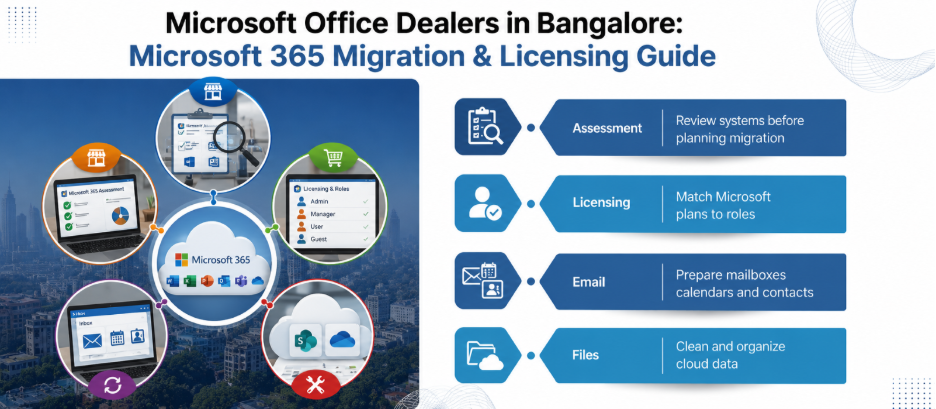
1. Start With a Migration Assessment, Not a Licence Quote
Before discussing Microsoft 365 plans, ask the partner to document your current environment.
That assessment should cover:
- Current Office versions and licensing
- Number of users and shared mailboxes
- Email platform and mailbox sizes
- Local file servers and shared folders
- OneDrive or other cloud storage already in use
- Existing Active Directory or identity setup
- Business applications connected to email
- Outlook add-ins and integrations
- Existing backup arrangements
- Security and compliance requirements
This matters because Microsoft 365 migration is a workload exercise, not merely an application installation. For example, Microsoft FastTrack treats Exchange, SharePoint, OneDrive, Teams, and Groups as individual workloads, meaning each comes with its own prerequisites and planning steps.
A good partner should be able to explain what will move, what will not, and what needs to be rebuilt.
2. Check Whether the Partner Understands Licensing
One of the easiest mistakes is selecting licences based on the number of employees alone.
Microsoft 365 plans differ considerably in their included applications, mailbox capabilities, security features, device management capabilities and compliance functionality. Therefore, your partner should map business requirements to the appropriate licence.
Ask for a user-by-user or role-based licensing matrix.
For example:
Also ask what happens when employees join, leave or change roles. Licence management should be part of the operating model, not a one-time purchase decision. Businesses comparing Microsoft Office dealers in Bangalore should also ask whether the quoted price includes only licences or additional migration and support services.
3. Find Out Exactly What Will Happen to Your Email
Email is often the most business-critical workload in a Microsoft 365 migration.
That’s why you should not accept a vague statement like “we will migrate your emails.”
Ask:
- Which migration method will be used?
- How much historical email will be moved?
- What happens to calendars and contacts?
- Will shared mailboxes be migrated?
- How will distribution lists be handled?
- How will Outlook profiles be reconfigured?
- What happens to mobile devices?
- How will DNS and mail routing be changed?
- What is the rollback plan if the cutover encounters problems?
Microsoft notes that migration prerequisites vary by source environment and that certain objects, such as some distribution lists and external contacts, may require separate handling.
This is exactly why migration scope should be documented before the project begins.
4. Do Not Treat File Migration as a Simple Copy-Paste Exercise
Moving files from a Windows file server to SharePoint or OneDrive can expose problems that were hidden in the old environment.
Due to this, consider folders containing:
- Duplicate documents
- Obsolete files
- Excessively broad permissions
- Very long file paths
- Unsupported or problematic file types
- Files owned by employees who have left
- Sensitive financial or customer information
The right approach is to clean and classify data before migration. A partner should therefore provide a data-mapping document rather than simply promising to “move everything to the cloud.”
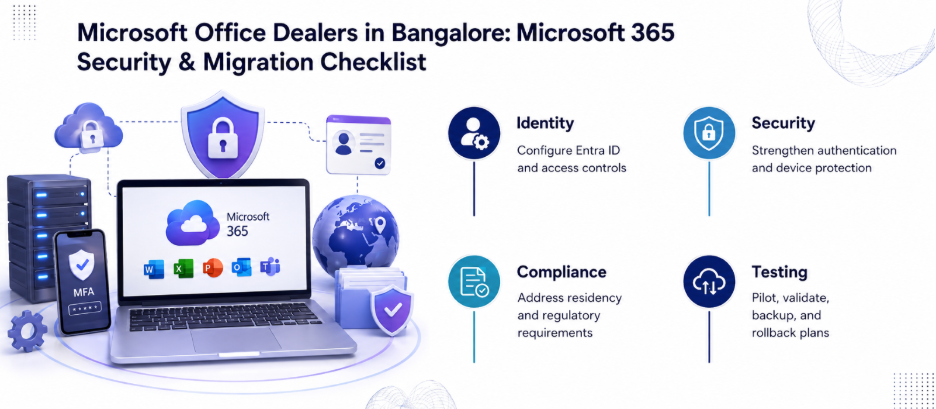
5. Ask How Identity and Security Will Be Configured
Microsoft 365 puts identity at the centre of the environment.
Your migration plan should address Microsoft Entra ID, administrator roles, authentication policies, multifactor authentication and access controls.
Ask the partner:
- Who will have Global Administrator access?
- How many privileged accounts will exist?
- Will MFA be enabled?
- How will former employees be deprovisioned?
- How will administrator activity be monitored?
- How will personal devices be handled?
- What happens when an employee loses a device?
With an eligible subscription, Microsoft FastTrack helps you navigate key areas like identity, security, compliance, and cloud management.
6. Clarify Data Residency and Compliance Requirements
For Indian businesses, data location can matter depending on the organisation, industry, and contractual obligations.
Microsoft details its Microsoft 365 data locations in its documentation, with India included as a local region under the Advanced Data Residency add-on for eligible customers. However, residency commitments vary by service and licensing arrangement.
Therefore, ask the partner to identify:
- Which Microsoft 365 services you will use.
- What data each service stores.
- The applicable Microsoft data-residency commitment.
- Whether your licence qualifies for any additional residency option.
- Any regulatory or contractual requirements that apply to your organisation.
For regulated businesses, this discussion should involve legal, compliance and information-security stakeholders.
7. Demand a Pilot Before Full Migration
A pilot is one of the simplest ways to uncover migration problems.
Select users from different departments. Include at least one person with a complex mailbox, shared resources, and commonly used business applications.
Test:
- Calendars
- Outlook
- Teams
- SharePoint
- OneDrive
- Mobile access
- Authentication
- Printers and scanners
- Third-party integrations
Then document the problems.
Microsoft itself describes migration as a process involving planning, configuration, scheduling, monitoring, and reporting. A partner that resists piloting because “the migration is straightforward” deserves closer scrutiny.
8. Ask About Business Continuity
Your migration plan needs a clear answer to one uncomfortable question:
What happens if something goes wrong on migration day?
Therefore, ask about:
- Backup before migration
- Data validation
- Cutover timing
- DNS propagation considerations
- Rollback procedures
- Help-desk availability
- Escalation contacts
- Post-migration monitoring
Also clarify what the partner considers a successful migration. Success should include validation of email, files, permissions, applications. and critical business workflows.
9. Look Beyond the Initial Deployment
Microsoft 365 is a continuously evolving cloud platform. The project does not end when users receive their new accounts.
Therefore, your partner should be able to discuss ongoing licence management, security reviews, user onboarding, administrator support, device management and Microsoft 365 optimisation.
Our Microsoft 365 guidance for startups discusses integration planning and the value of professional assistance for more complex environments.
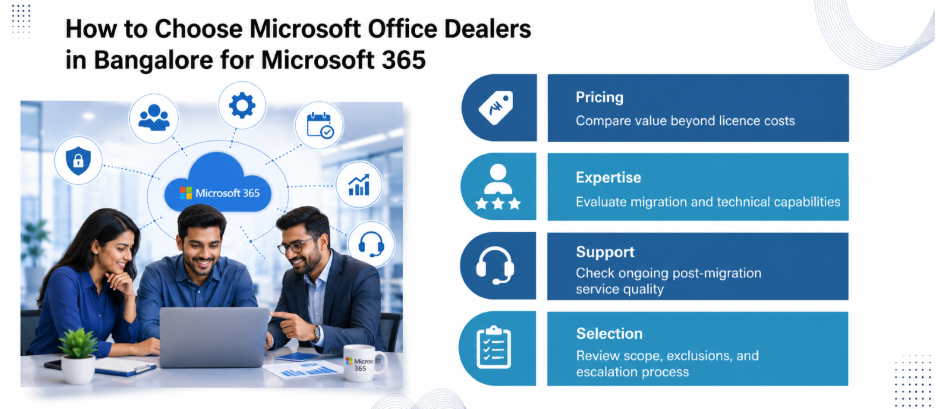
10. Compare the Migration Statement of Work, Not Just the Licence Price
When comparing Microsoft Office dealers in Bangalore, ask each vendor to provide the same information in writing.
Your comparison should include:
- Licence SKU and quantity
- Migration workloads
- Data volume
- Number of users
- Pilot scope
- Security configuration
- Identity configuration
- Device configuration
- Data validation
- Training
- Cutover support
- Post-migration support
- Exclusions
- Escalation process
- Renewal and licence-management terms
This makes vendor comparison much more meaningful.
Can the Partner Explain Your Migration?
The best Microsoft Office dealers in Bangalore aren’t the ones offering the lowest licence price. They are the ones that can look at your existing environment and explain, in practical terms, what needs to change.
The goal should not be to simply move Office applications to the cloud. It should be to create a Microsoft 365 environment that fits your users, protects business data, and can be managed effectively after migration.
FAQs
1. Is Microsoft 365 the same as Microsoft Office?
No. Microsoft 365 is a subscription-based service that can include Office applications along with cloud services and other capabilities, depending on the plan. “Microsoft Office” is commonly used to refer to the productivity applications themselves.
2. How long does a Microsoft 365 migration take?
There is no universal timeline. Duration depends on the number of users, mailbox sizes, source platform, data volume, migration method, integrations, and project scope.
3. Should a business migrate all users at once?
Not necessarily. A phased migration with a pilot can reduce operational risk and expose technical issues before a wider rollout.
4. Can old emails be moved to Microsoft 365?
Email migration is possible from supported source environments, but the exact migration capabilities depend on the source platform and migration method. Microsoft documents different requirements for different source environments.
5. Will files automatically move from a file server to OneDrive?
No. File migration needs planning around ownership, permissions, folder structures, file compatibility, storage, and the appropriate destination.