Co-Managed IT vs Fully Managed IT Services: Which Model Fits Your Business in 2026?
Today, technology is no longer just a support function. In 2026, it directly affects cybersecurity, employee productivity, customer experience, compliance, and business continuity. As IT environments become more complex, many organizations are evaluating whether they should partner with a managed IT services provider through a fully managed or co-managed model.
Both approaches can improve operational efficiency, strengthen cybersecurity, and reduce downtime. However, the right choice depends on your internal IT capabilities, budget, growth plans, and how much control you want to maintain over daily IT operations.
In this guide, we’ll explain the differences between co-managed and fully managed IT services, compare their benefits, and help you determine which model fits your business best in 2026.
What Is a Managed IT Services Provider?
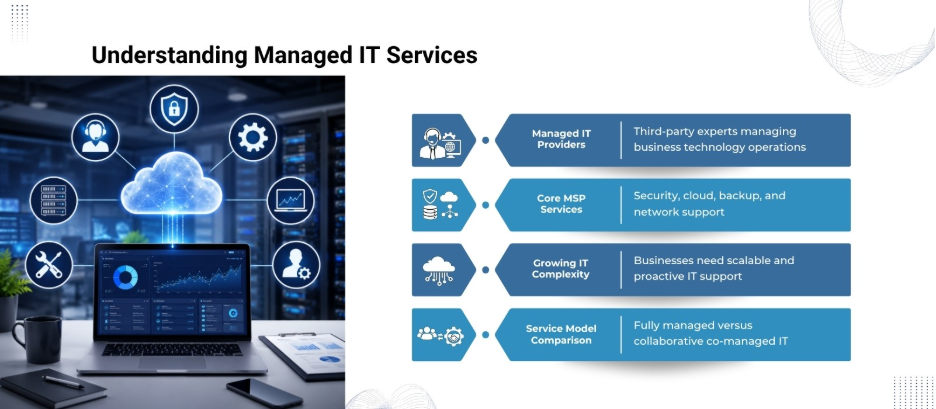
A managed IT services provider (MSP) is a third-party company that remotely manages, monitors, and supports a business’s IT infrastructure and technology operations. Common services include:
- Help desk support
- Cybersecurity monitoring
- Cloud management
- Network administration
- Data backup and disaster recovery
- Endpoint management
- Compliance support
- Strategic IT planning
Managed services have evolved significantly in recent years. Many MSPs now offer AI-powered monitoring, automation, cloud optimization, and advanced cybersecurity services as standard offerings.
Businesses generally choose between two service models:
- Fully Managed IT Services
- Co-Managed IT Services
Understanding how these models differ is critical before making a long-term IT decision.
What Are Fully Managed IT Services?
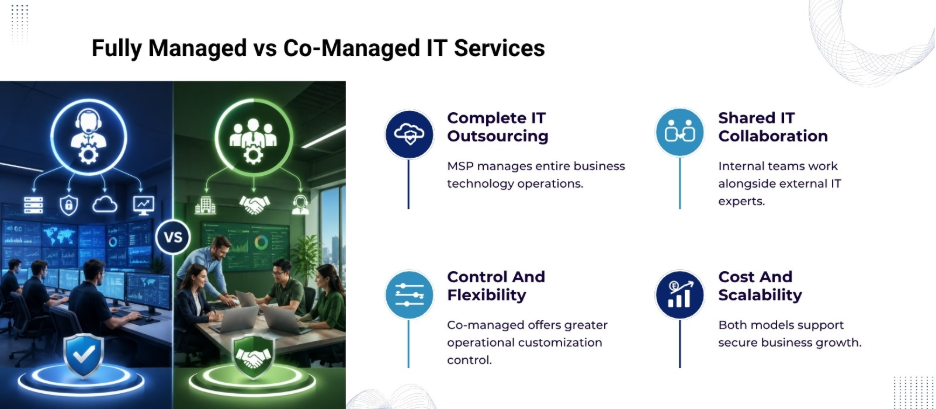
Fully managed IT services involve outsourcing your entire IT environment to a managed IT services provider. The MSP acts as your complete IT department and handles nearly all technology-related responsibilities.
This model is commonly used by businesses that:
- Do not have an internal IT team.
- Want to reduce IT overhead.
- Need 24/7 IT management.
- Prefer predictable monthly costs.
- Want external experts to manage cybersecurity and infrastructure.
Under a fully managed model, the MSP typically handles:
- IT support and troubleshooting
- Infrastructure management
- Device monitoring
- Security operations
- Vendor management
- Software patching
- Backup management
- Cloud administration
- Strategic IT planning
According to industry reports, fully managed IT services are especially popular among small and midsize businesses seeking comprehensive support without building a large in-house IT department.
Advantages of Fully Managed IT Services
1. Reduced Internal Workload
Internal teams can shift their focus from technical maintenance to business expansion when a managed provider oversees daily IT operations.
2. Access to Specialized Expertise
Most MSPs employ specialists in cybersecurity, cloud infrastructure, compliance, networking, and disaster recovery.
3. Predictable IT Costs
Businesses usually pay a fixed monthly fee, which makes budgeting easier and reduces unexpected IT expenses.
4. Stronger Cybersecurity
Cyber threats continue to grow in sophistication. Therefore, many MSPs now provide 24/7 security monitoring, endpoint protection, and zero-trust security frameworks.
5. Scalability
As your business grows, the MSP can scale services without requiring you to hire additional IT staff.
Disadvantages of Fully Managed IT Services
1. Less Internal Control
Some businesses may feel uncomfortable outsourcing all IT responsibilities to an external provider.
2. Limited Internal Knowledge Development
Without an internal IT team, organizations may struggle to build long-term technical knowledge internally.
What Is Co-Managed IT Services?
Co-managed IT is a collaborative partnership between your internal IT staff and a managed IT services provider.
Instead of replacing your internal team, the MSP supplements it by handling specialized tasks, providing additional resources, or offering after-hours support.
This model is ideal for businesses that already have IT personnel but need additional support due to:
- Rapid growth
- Increased cybersecurity demands
- Staffing shortages
- Complex cloud environments
- Large IT projects
- 24/7 monitoring requirements
Industry experts describe co-managed IT as a shared operational model where responsibilities are divided between the internal IT department and the MSP.
Common Co-Managed IT Responsibilities
Internal IT teams may handle:
- Day-to-day employee support
- Internal workflows
- Business-specific systems
- IT decision-making
The MSP may handle:
- Cybersecurity
- Cloud management
- Backup and disaster recovery
- Compliance
- Network monitoring
- After-hours support
- Large-scale infrastructure projects
Advantages of Co-Managed IT
1. Greater Internal Control
Your internal IT team remains actively involved in technology decisions and operations.
2. Expanded Expertise
The MSP fills skill gaps without replacing your existing staff.
3. Flexible Support Structure
Businesses can outsource only the functions they need help with.
4. Reduced IT Team Burnout
Co-managed IT helps internal teams manage increasing workloads more effectively.
5. Better Support for Complex Projects
Cloud migrations, cybersecurity upgrades, and compliance initiatives often require specialized expertise that internal teams may not possess.
Disadvantages of Co-Managed IT
1. Shared Responsibility Can Create Confusion
Poor communication between internal teams and the MSP can create accountability gaps.
2. Requires Strong Internal IT Leadership
Businesses still need capable internal IT personnel to coordinate operations effectively.
3. Costs Can Vary
Unlike fully managed models with flat-rate pricing, co-managed services may involve customized pricing structures.
Co-Managed IT vs Fully Managed IT Services: Key Differences
| Feature | Fully Managed IT | Co-Managed IT |
| Internal IT Team Required | No | Yes |
| IT Ownership | MSP handles most responsibilities | Shared between MSP and internal team |
| Control Level | Lower | Higher |
| Flexibility | Moderate | High |
| Best for SMBs Without IT Staff | Yes | No |
| Best for Existing IT Teams | Limited | Yes |
| Cost Structure | Predictable monthly pricing | Flexible/customized pricing |
| Scalability | High | High |
| Cybersecurity Support | Comprehensive | Supplemental or shared |
| Strategic IT Planning | MSP-led | Collaborative |
Which Businesses Should Choose Fully Managed IT?
A fully managed model is often the best fit if your business:
- Has no dedicated IT department
- Wants to outsource all IT responsibilities
- Needs 24/7 support
- Operates with limited technical resources
- Requires stronger cybersecurity management
- Wants simplified IT budgeting
Small and midsize businesses commonly choose fully managed services because hiring a complete internal IT team can be expensive and difficult.
Which Businesses Should Choose Co-Managed IT?
Co-managed IT is often ideal if your organization:
- Already has an internal IT department
- Needs additional expertise
- Wants to reduce the IT staff workload
- Requires advanced cybersecurity support
- Needs help with cloud management
- Wants after-hours monitoring
Larger organizations and fast-growing companies often prefer co-managed IT because it allows them to maintain internal control while accessing external expertise.
How to Choose the Right Managed IT Model
Before selecting a managed IT services provider, ask these questions:
- Do we already have internal IT staff?
- How much control do we want over IT operations?
- Are we struggling with cybersecurity or compliance?
- Do we need 24/7 support?
- Is our IT team overloaded?
- Are we planning major cloud or infrastructure projects?
- What is our long-term growth strategy?
If your organization wants complete IT outsourcing, fully managed IT is often the better option.
If your internal team needs reinforcement rather than replacement, co-managed IT may provide the right balance.
Why Choose Nurture IT in Indiranagar
As businesses evaluate whether co-managed or fully managed IT services fit their operational goals, choosing the right technology partner becomes equally important. Nurture IT helps organizations simplify IT management with scalable solutions. Whether you need complete IT outsourcing or additional support for your internal team, Nurture IT delivers tailored services that align with your infrastructure, security, and growth requirements.
As a trusted managed IT services provider, Nurture IT offers proactive monitoring, cloud management, cybersecurity support, help desk services, backup solutions, and strategic IT consulting. Our team works closely with businesses to reduce downtime, improve operational efficiency, and strengthen cybersecurity readiness in an increasingly digital landscape.
Partner with Nurture IT today and keep your organization secure, scalable, and competitive in an increasingly digital environment.
FAQs
1. What is the difference between co-managed IT and fully managed IT services?
Fully managed IT services outsource the entire IT function to an external provider, while co-managed IT services involve collaboration between an internal IT team and a managed IT services provider.
2. Which businesses benefit most from fully managed IT services?
Small and midsize businesses without dedicated IT departments often benefit the most from fully managed IT services because they gain access to enterprise-level IT support without hiring large internal teams.
3. Is co-managed IT suitable for large organizations?
Yes. Co-managed IT is commonly used by growing businesses and enterprises that already have internal IT staff but require additional expertise, cybersecurity support, or 24/7 monitoring.
4. Are managed IT services cost-effective in 2026?
Managed IT services can reduce operational costs by minimizing downtime, lowering infrastructure management expenses, and reducing the need for large in-house IT teams.
5. What services are typically included in managed IT support?
Common services include help desk support, cloud management, network monitoring, cybersecurity, backup and disaster recovery, software updates, and strategic IT consulting.