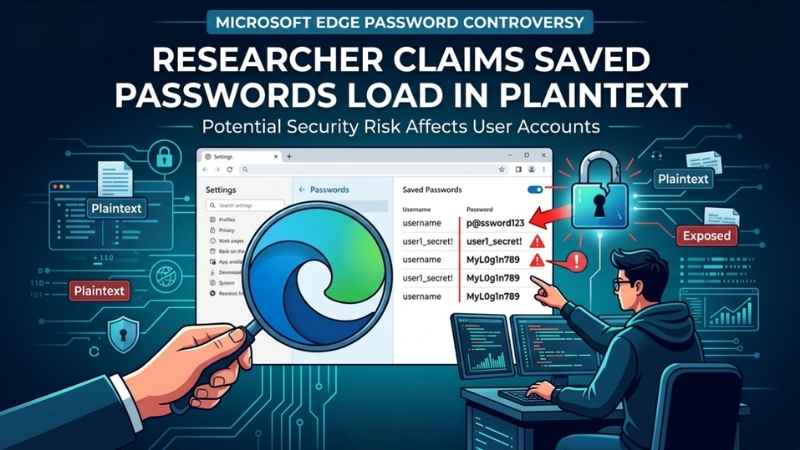
Microsoft Edge Password Controversy: Researcher Claims Saved Passwords Load in Plaintext
A new cybersecurity report has sparked concern among Microsoft Edge users after researchers discovered that the browser reportedly loads saved passwords into system memory in plaintext while running. According to the findings, this means stored credentials may potentially be readable by malware or attackers who already have elevated access to a PC.

Researchers Raise Concerns Over Edge Password Handling
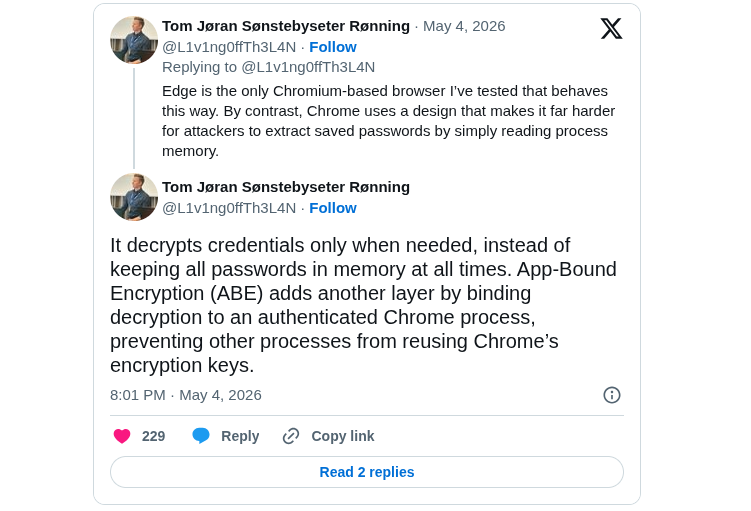
The issue was highlighted by Norwegian security researcher Tom Jøran Sønstebyseter Rønning, who demonstrated how Microsoft Edge decrypts saved passwords at startup and keeps them in memory throughout the browsing session. What raised eyebrows in the security community is that this reportedly happens even for websites the user never opens during that session.
In a post discussing the findings, the researcher stated: “Edge is the only Chromium-based browser I’ve tested that behaves this way.”
The report claims that an attacker with administrator-level access could potentially dump Edge’s memory and retrieve stored credentials in readable form. While this already requires a compromised system or elevated privileges, security experts argue that it still increases risk in shared systems, enterprise environments, or terminal server setups.
How Microsoft Edge Allegedly Stores Passwords
According to the researcher, Microsoft Edge decrypts credentials immediately at browser startup instead of only when needed for autofill or login. Competing Chromium browsers like Google Chrome reportedly decrypt passwords only on demand, reducing the amount of sensitive data exposed in memory at a given time.
Microsoft Says It’s “By Design”
Microsoft, however, does not currently classify this behavior as a security vulnerability. In responses shared online, the company reportedly described the behavior as “by design,” arguing that the scenario already assumes the device has been compromised.
Microsoft also explained that balancing usability, performance, and security is part of the browser’s design philosophy. According to statements shared with media outlets, keeping credentials accessible in memory helps provide faster and smoother sign-ins for users.
Why Security Experts Are Concerned
That explanation, however, has not fully convinced researchers or sections of the tech community. Discussions across forums and Reddit have criticized the decision, especially considering that Edge still asks users to re-authenticate before manually viewing saved passwords in the browser settings, despite the credentials allegedly already existing in memory.
One researcher summarized the concern by stating: “When you save passwords in Edge, the browser decrypts every credential at startup and keeps them resident in process memory.”
However, note that this does not mean random websites can suddenly steal passwords. An attacker would still need significant access to the system, often through malware, administrator privileges, or physical compromise.
How Chrome, Brave, and Firefox Handle This Differently
What made this discovery stand out is that researchers claim browsers like Google Chrome and Brave handle saved passwords differently. Instead of decrypting all credentials at startup, they reportedly decrypt passwords only when needed for autofill or login actions, reducing how long sensitive data stays exposed in memory.
Mozilla Firefox uses its own password management system and also offers an optional “Primary Password” feature, which adds another authentication layer before stored credentials can be accessed.
Researchers are not saying Chrome, Brave, or Firefox are impossible to compromise. The debate is mainly about minimizing how long decrypted passwords remain available in memory after the browser starts.
Will a Password Manager Help?
For users concerned about this issue, a dedicated password manager can provide an extra layer of security. Unlike browser-based password storage, many password managers use separate encrypted vaults and often require an additional master password before credentials can be accessed.
Popular password managers like Bitwarden, 1Password, and Proton Pass are specifically designed with credential protection as their primary focus rather than being part of a web browser ecosystem.
That said, no solution is completely immune if a system is already heavily compromised with malware or administrator-level access. A password manager simply reduces exposure and adds stronger security practices compared to storing everything directly inside the browser.
Final Thoughts
At the moment, Microsoft maintains that this behavior is intentional and not a security vulnerability. Researchers, however, argue that passwords simply shouldn’t remain decrypted in memory longer than necessary, especially when other browsers appear to handle it more cautiously.
Realistically, for most everyday users, this isn’t something to panic over overnight. But it does highlight why good security habits still matter – using strong passwords, enabling MFA, avoiding suspicious downloads, and considering a dedicated password manager instead of relying entirely on the browser.
About Nurture IT
Nurture IT, one of the leading IT service providers in Bangalore offers customized scalable technology solutions specifically designed for our client’s unique needs.
As a preferred partner to technology leaders like Lenovo, Dell, Apple, HP, Asus, Tata, Google, Microsoft, Cisco, Sophos, Jamf, Soti, Fortinet, Poly, Okta, Seclore, Seqrite we deploy the most advanced business technology solutions to ensure optimal reliability, productivity, and value.
Our B2B branch, Nurture IT, adeptly serves corporate and scaling-up demands. Conversely, for those not anticipating immediate growth, our Retail division – Laptop World caters to your specific needs. Make an informed choice aligned with your organizational trajectory and immediate necessities.