How to Switch IT Vendors Without Downtime (Step-by-Step)
Switching IT vendors is often necessary for improving performance, reducing costs, or accessing better technology. However, the biggest fear for most organizations is downtime, especially when critical systems, applications, and data are involved. Even a few minutes of disruption can lead to revenue loss, operational delays, and customer dissatisfaction.
The good news is that with the right planning and execution, you can transition between IT vendors with little to no downtime. In this guide, we walk you through a structured, step-by-step approach to make the switch seamless and risk-free.
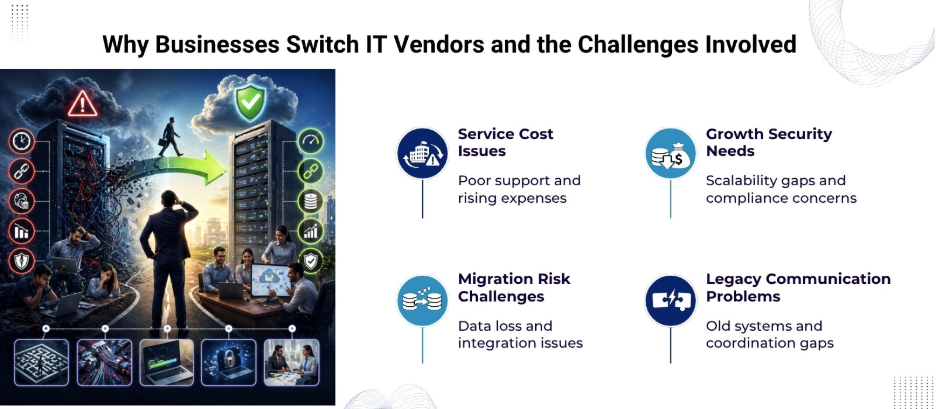
Why Businesses Switch IT Vendors
Before diving into the process, it’s important to understand common reasons for switching vendors:
- Poor service quality or slow response times
- Lack of scalability or outdated technology
- Security concerns or compliance gaps
- High costs without proportional value
- Need for specialized expertise
A well-managed transition allows businesses to address these challenges without interrupting operations.
Key Challenges in Vendor Switching
Switching IT vendors isn’t just a technical exercise; it involves operational, contractual, and strategic complexities:
- Data migration risks
- Integration issues with existing systems
- Lack of documentation
- Dependency on legacy infrastructure
- Communication gaps between old and new vendors
Addressing these challenges early is critical to avoiding downtime.
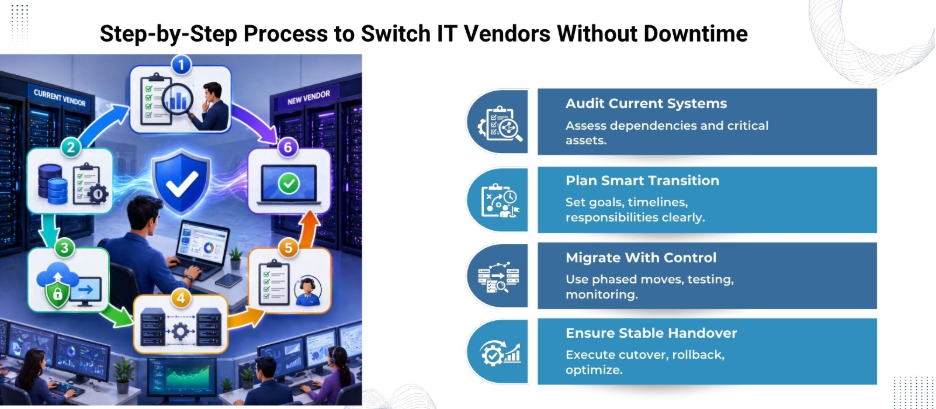
Step-by-Step Process to Switch IT Vendors Without Downtime
1. Conduct a Comprehensive IT Audit
Start with a detailed assessment of your current IT environment. Identify:
- Applications and workloads
- Infrastructure (servers, cloud services, networks)
- Data storage systems
- Third-party integrations
This audit helps you understand dependencies and prioritize critical systems that cannot afford downtime.
2. Define Clear Transition Objectives
Set specific goals for the transition:
- What improvements are expected?
- Which systems must remain continuously available?
- What is the acceptable level of risk?
Having clear objectives helps both vendors align their efforts during the transition.
3. Choose the Right New Vendor
Choosing the right IT vendor is important for a smooth transition. Look for:
- Proven experience in migrations
- Strong Service Level Agreements (SLAs)
- Robust security and compliance capabilities
- Transparent communication processes
Request a detailed transition plan from the new vendor before finalizing the contract.
4. Develop a Detailed Transition Plan
A structured plan minimizes uncertainty. It should include:
- Timeline with milestones
- Roles and responsibilities
- Risk management strategies
- Backup and rollback procedures
The plan should also identify critical systems that require zero downtime and define how that will be achieved.
5. Implement Parallel Environments
One of the most effective ways to avoid downtime is to run both old and new systems simultaneously for a period. This is known as a parallel or dual-run approach.
Benefits include:
- Real-time validation of the new system
- Immediate fallback option if issues arise
- Gradual migration of workloads
This approach significantly reduces the risk of service disruption.
6. Use Phased Migration
Instead of moving everything at once, migrate in phases:
- Start with non-critical systems
- Move to moderately important applications
- Transition mission-critical systems at last
Phased migration enables teams to identify and resolve issues early without affecting core operations.
7. Data Migration and Validation
Data is the backbone of any IT system. During migration:
- Use secure transfer protocols
- Maintain data integrity checks
- Perform validation after each transfer
Testing is important to confirm that no data is lost, corrupted, or misaligned.
8. Perform Rigorous Testing
Testing should be conducted at multiple levels:
- Functional testing (applications work as expected)
- Performance testing (system handles expected load)
- Security testing (no vulnerabilities introduced)
Testing in a staging environment that mirrors production and helps identify issues before going live.
9. Establish Real-Time Monitoring
Monitoring tools provide visibility during the transition:
- Track system performance
- Identify bottlenecks or failures
- Trigger alerts for anomalies
Real-time monitoring allows quick response to any unexpected issues.
10. Plan a Controlled Cutover
The cutover is the final switch from the old vendor to the new one. To minimize risk:
- Schedule during low-traffic hours
- Communicate with stakeholders in advance
- Keep rollback plans ready
A controlled cutover helps maintain business continuity.
11. Maintain a Rollback Strategy
Even with careful planning, issues can occur. A rollback plan allows you to revert to the previous system quickly if needed.
Key elements include:
- Backup of all data
- Clear decision criteria for rollback
- Defined roles for execution
This acts as a safety net during the transition.
12. Post-Migration Optimization
After the switch:
- Monitor system performance closely
- Resolve any lingering issues
- Optimize configurations for efficiency
Continuous improvement helps maximize the value of the new vendor.
IT Vendor Switching Checklist
Here’s a quick reference table to guide your transition:
| Step | Action Item | Key Outcome |
| 1 | IT Audit | Full visibility of current systems |
| 2 | Define Objectives | Clear transition goals |
| 3 | Vendor Selection | Reliable partner chosen |
| 4 | Transition Plan | Structured execution roadmap |
| 5 | Parallel Environment | Reduced downtime risk |
| 6 | Phased Migration | Controlled system movement |
| 7 | Data Migration | Secure and accurate data transfer |
| 8 | Testing | Early issue detection |
| 9 | Monitoring | Real-time system insights |
| 10 | Cutover | Smooth final transition |
| 11 | Rollback Plan | Risk mitigation |
| 12 | Optimization | Improved performance |
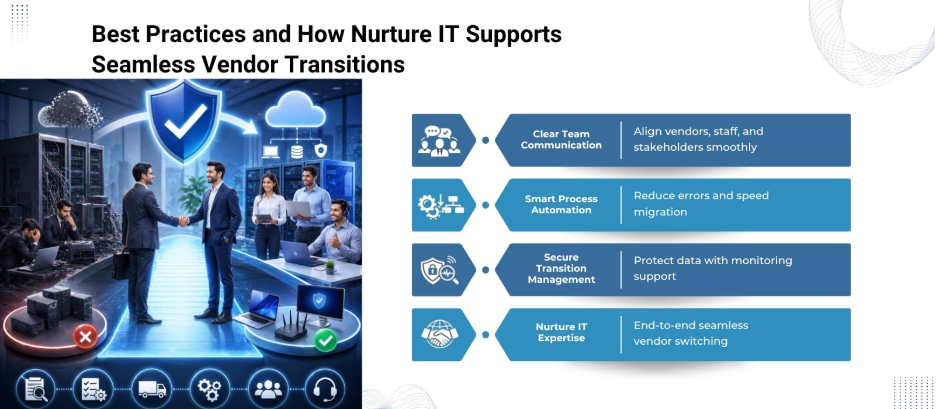
Best Practices for Zero-Downtime Transitions
1. Prioritize Communication
Keep all stakeholders informed, including internal teams, customers, and both vendors. Clear communication reduces confusion and aligns expectations.
2. Document Everything
Maintain detailed documentation of systems, configurations, and processes. This helps the new vendor understand the environment quickly.
3. Automate Where Possible
Automation tools can streamline migration, reduce human error, and speed up the process.
4. Focus on Security
Data breaches can occur during transitions if proper controls are not in place. Use encryption, access controls, and compliance checks throughout the process.
5. Train Internal Teams
Your internal IT team should be familiar with the new systems and workflows. This reduces dependency on the vendor post-transition.
How Nurture IT Simplifies Vendor Transitions
Switching IT vendors without downtime requires deep technical expertise, precise planning, and flawless execution. This is where Nurture IT in Indiranagar becomes a strategic partner rather than just a service provider.
What Sets Nurture IT Apart?
1. End-to-End Transition Management
Nurture IT handles the entire vendor switching lifecycle, from initial IT audits and transition planning to execution and post-migration optimization.
2. Parallel Migration Expertise
Our team implements parallel environments and phased migration strategies to eliminate operational risks.
3. Robust Data Migration & Security
Nurture IT uses secure migration protocols, validation checks, and compliance-driven practices to protect sensitive business information throughout the process.
4. Proactive Monitoring & Support
With real-time monitoring tools and dedicated support teams, Nurture IT quickly identifies and resolves potential issues before they impact operations.
Why Businesses Choose Nurture IT
Organizations partner with Nurture IT not just to switch vendors, but to upgrade their entire IT ecosystem. The result is improved performance, stronger security, and a future-ready infrastructure — all achieved without downtime.
Final Thoughts
Switching IT vendors without downtime is entirely achievable with the right strategy. The key lies in preparation, phased execution, and continuous monitoring. By running parallel systems, validating data, and maintaining a strong rollback plan, businesses can transition seamlessly while keeping operations uninterrupted.
Partner with Nurture IT in Bangalore to achieve a seamless IT transition while maintaining continuous uptime.
FAQs
1. How long does it take to switch IT vendors?
The timeline varies depending on the complexity of systems, data volume, and migration strategy. It can range from a few weeks to several months.
2. Is zero downtime always possible?
While challenging, near-zero downtime is achievable using parallel environments, phased migration, and careful cutover planning.
3. What is the biggest risk during vendor switching?
Data loss and system downtime are the most significant risks, which can be mitigated through backups, testing, and monitoring.
4. Should both vendors collaborate during the transition?
Yes, coordination between the outgoing and incoming vendors improves knowledge transfer and reduces errors.
5. What role does automation play in migration?
Automation reduces manual errors, speeds up processes, and improves consistency during data and system migration.