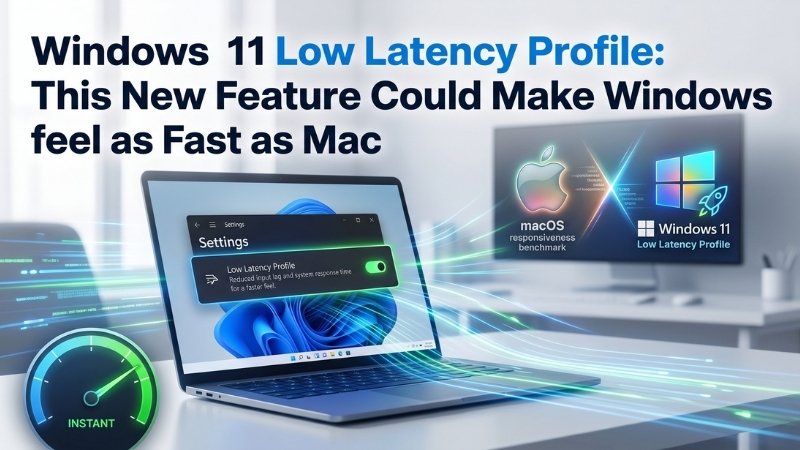
Windows 11 Low Latency Profile: This New Feature Could Make Windows feel as Fast as Mac
For years, one of the biggest complaints about Windows 11 has been it’s responsiveness. That tiny delay when opening the Start menu, launching File Explorer, or clicking an app may only last a fraction of a second, but users notice it constantly.
Now, Microsoft is finally addressing that issue with a new feature called Windows 11 Low Latency Profile, and it could become one of the most important performance improvements Windows has received in years.
Why Windows Sometimes Feels Sluggish
Modern CPUs are designed to save power whenever possible. Normally, Windows gradually increases CPU speed only after detecting heavier workloads. While this helps battery life, it also creates tiny delays during everyday interactions.
This is the “micro-stutter” many Windows users experience. You click Start… wait a split second… then the menu appears. It’s small, but once you notice it, you cannot unsee it. According to Microsoft watchers like Zac Bowden and Phantomofearth, the new Windows 11 Low Latency Profile is designed specifically to eliminate this delay.
What Is Windows 11 Low Latency Profile?
The Windows 11 Low Latency Profile is a scheduler optimization built directly into the operating system. Its job is simple: instantly boost CPU frequency for very short bursts whenever you trigger a high-priority action. That includes actions like:
- Opening the Start menu
- Launching an application
- Clicking a context menu
- Opening Search or Action Center
Instead of slowly ramping CPU speeds up after you click something, Windows immediately pushes the processor to maximum performance for around 1 to 3 seconds, then quickly drops it back down once the task is complete.
The result? Windows feels far more responsive.
A macOS-Like Approach to Responsiveness
If you’ve been using modern MacBooks, especially Apple Silicon devices, you’ve probably noticed how instantly macOS reacts to clicks and gestures. Microsoft appears to be adopting a similar strategy.
Instead of waiting for CPU speeds to slowly climb, the Windows 11 Low Latency Profile aggressively boosts the processor immediately when user interaction is detected. This allows apps and UI elements to render faster before the CPU returns to its low-power state.
How Much Faster Is It?
Early testing results are surprisingly impressive. Reports suggest the Windows 11 Low Latency Profile can improve:
- Start menu and context menu responsiveness by up to 70%
- In-box app launch speeds by up to 40%
- Third-party app responsiveness as well
Testing done on constrained hardware showed dramatic improvements even on low-end systems with dual-core CPUs and just 4GB RAM.
Apps like Microsoft Edge and Outlook reportedly spiked CPU utilization close to 95-97% during launch for a brief moment, opened almost instantly, then dropped back to idle power levels within seconds.
That aggressive burst behavior is intentional.
Will This Harm the CPU or Battery Life?
Some users online criticized the Windows 11 Low Latency Profile as a brute-force “CPU boost” trick. But in reality, modern operating systems like macOS, Linux, and Android already use similar “Race to Sleep” strategies – briefly maximizing performance to finish tasks faster, then quickly returning to low-power mode.
Since the CPU spike only lasts around 1 to 3 seconds, Microsoft expects minimal impact on battery life or thermals. So your laptop probably won’t sound like a jet engine every time you open File Explorer.
Who Will Benefit the Most?
High-end gaming PCs may not notice a massive difference because they already have plenty of performance headroom. But budget laptops, office systems, and entry-level Windows devices could benefit significantly from the Windows 11 Low Latency Profile.
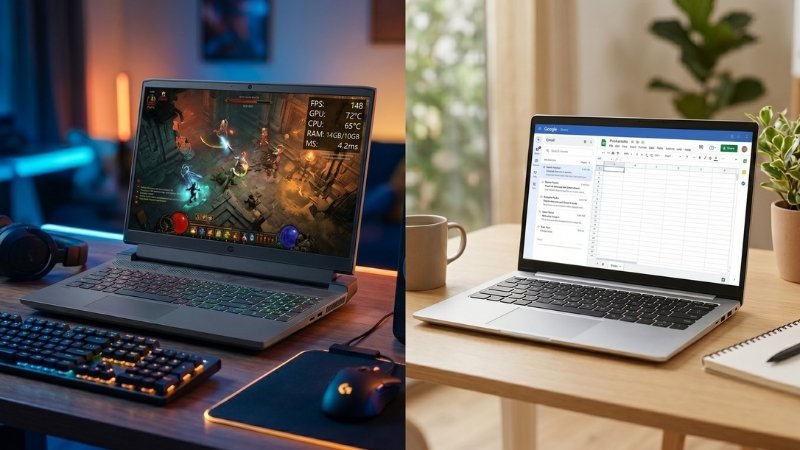
That’s especially important because millions of users still run Windows on modest hardware where small delays feel far more noticeable. For those systems, this update could genuinely make Windows 11 feel much faster without requiring any hardware upgrades.
When Is Windows 11 Low Latency Profile Coming?
Microsoft has already enabled the feature in the Windows 11 Release Preview Channel, which is usually the final testing stage before public rollout. Current expectations suggest: Wider rollout expected through June 2026 Patch Tuesday updates. Optional rollout begins around May/June 2026.
The Windows 11 Low Latency Profile may sound like a small technical change, but it directly targets one of the most frustrating parts of the Windows experience – UI responsiveness.
Looking to optimize your business systems, upgrade aging Windows devices, or improve overall IT performance for your workplace?
At Nurture IT, we help businesses deploy smarter, faster, and more efficient IT solutions tailored for modern workloads and productivity.
About Nurture IT
Nurture IT, one of the leading IT service providers in Bangalore offers customized scalable technology solutions specifically designed for our client’s unique needs.
As a preferred partner to technology leaders like Lenovo, Dell, Apple, HP, Asus, Tata, Google, Microsoft, Cisco, Sophos, Jamf, Soti, Fortinet, Poly, Okta, Seclore, Seqrite we deploy the most advanced business technology solutions to ensure optimal reliability, productivity, and value.
Our B2B branch, Nurture IT, adeptly serves corporate and scaling-up demands. Conversely, for those not anticipating immediate growth, our Retail division – Laptop World caters to your specific needs. Make an informed choice aligned with your organizational trajectory and immediate necessities.