How to Calculate the Right Internet Leased Line Bandwidth for Your Office
Most offices size their internet connection by picking a “safe-sounding” number like 100 Mbps and move on. Six months later, video calls freeze during peak hours, backups crawl overnight, and someone finally asks, “Wait, did we actually calculate this, or just guess?”
Bandwidth sizing isn’t guesswork, and it isn’t a one-size-fits-all number either. A 15-person design studio uploading large files all day has completely different needs than a 15-person sales team mostly on calls and CRM tools.
In this guide, we walk you through the actual math and logic, so when you talk to an internet leased line provider, you’re asking for the right number.
First, Understand What You’re Actually Buying
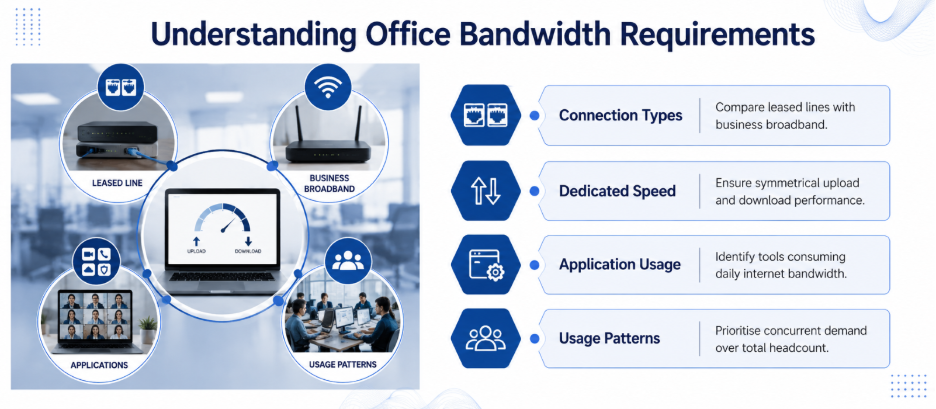
A leased line isn’t the same product as office broadband, and that difference matters for how you calculate bandwidth. A leased line is a dedicated, point-to-point connection that isn’t shared with other businesses. It’s symmetrical too, meaning upload speed matches download speed, which broadband almost never offers.
This distinction matters for sizing. With broadband, providers oversell capacity, assuming not everyone uses it simultaneously. With a leased line, the bandwidth you pay for is the bandwidth you get, all the time. So your calculation needs to reflect real, sustained usage rather than best-case numbers on a brochure. This is exactly why an experienced internet leased line provider will ask about your actual applications before quoting a figure.
Step 1: List Every Application That Touches the Internet
Before assigning numbers, write down what actually runs over your connection. Most offices underestimate this list. It typically includes:
- Video conferencing (Zoom, Teams, Google Meet)
- VoIP calling
- Cloud applications (Google Workspace, Microsoft 365, CRM, ERP)
- File uploads and downloads, including design files or datasets
- Cloud backups running in the background
- Remote access and VPN connections for hybrid staff
- Website or server hosting, if applicable
If your team works with cloud platforms or supports remote staff, this list grows quickly, and it’s worth sharing with your internet leased line provider before you settle on a number.
Step 2: Assign Realistic Bandwidth per Application
Here are commonly cited, real-world figures to work from:
- Basic browsing and email: 1-2 Mbps per user
- Standard-definition video call: 1-1.5 Mbps per participant
- HD video call: 3-4 Mbps per participant
- 4K video conferencing: 8-10 Mbps per participant
- VoIP call: roughly 100 Kbps per active call
- Cloud app usage (Workspace/365, browser-based): 2-5 Mbps per active user
- Large file uploads (design, video, datasets): variable, but budget 10-20 Mbps during active transfers
These aren’t fixed rules, but they give you a starting point that’s grounded in how these applications actually behave.
Step 3: Calculate for Peak Concurrent Usage, Not Total Headcount
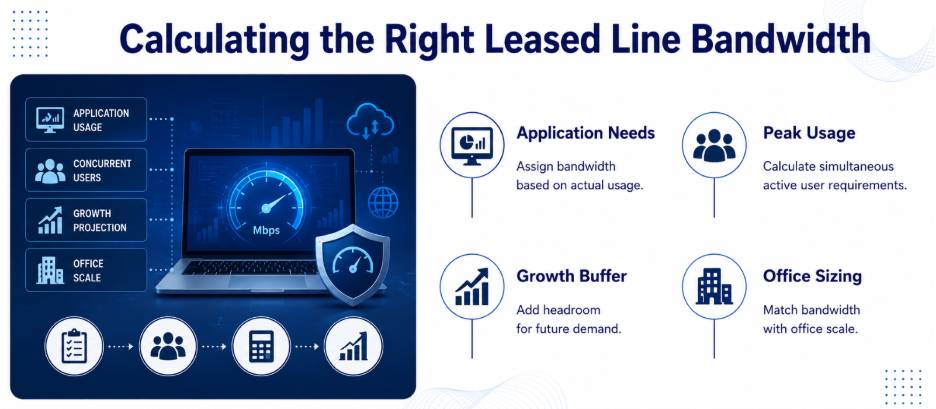
This is where most calculations go wrong. You don’t need bandwidth for every employee doing everything at once; you need bandwidth for your busiest realistic hour.
A simple formula:
Peak Bandwidth = (Number of concurrent users) × (average bandwidth per user during peak activity)
For example, a 40-person office where 25 people are typically active online at once, mixing video calls, cloud apps, and browsing, might average 3 Mbps per active user during peak hours. That’s 25 × 3 = 75 Mbps as a baseline requirement, before adding headroom.
Step 4: Add Headroom for Growth and Bursts
Once you have your peak number, add 20–30% on top. This covers:
- Team growth over the next 12–18 months
- Unplanned bursts, like a company-wide town hall or a large client file transfer
- Software updates and background syncing that spike unpredictably
Using the example above, 75 Mbps with 25% headroom lands around 94 Mbps, which most businesses would round up to a 100 Mbps plan. A reliable internet leased line provider will actually sit down and help you crunch the numbers, instead of just trying to upsell you to a more expensive plan.
Step 5: Factor in Redundancy
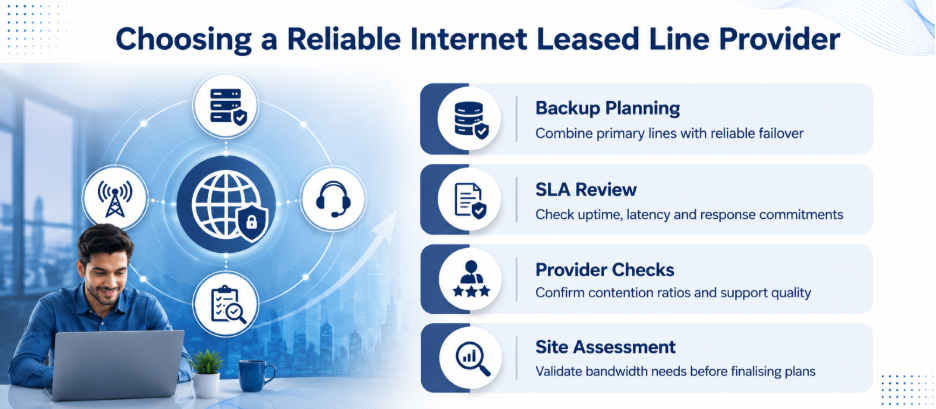
If downtime would hurt your business (client-facing SaaS, financial operations, e-commerce), a secondary failover line matters as much as raw speed. Many businesses configure a primary leased line alongside a backup broadband or 4G/5G failover, so a single link failure doesn’t take the whole office offline. When you’re comparing options, ask your internet leased line provider how failover switching works and how quickly it activates during an outage.
A Quick Reference Table
Use this as a starting point when you first speak with an internet leased line provider, then refine it with your own application list from Step 1.
| Office Size | Active Concurrent Users | Suggested Bandwidth |
| Small (10-15 people) | 8-10 | 30-50 Mbps |
| Medium (30-50 people) | 20-30 | 75-120 Mbps |
| Large (100+ people) | 60-80 | 200-300 Mbps |
Treat this as a starting reference, not a final answer. Your actual mix of video calls, cloud tools, and file transfers will shift these numbers up or down.
Why the Right Internet Leased Line Provider Matters Here?
Sizing bandwidth well is only half the job. The other half is choosing an internet leased line provider that backs its numbers with a proper Service Level Agreement, covering guaranteed uptime, latency commitments, and support response times. A good internet leased line provider will also run a proper site assessment before quoting a number, rather than selling you a plan off a generic chart.
Common Mistakes to Avoid
- Sizing for headcount instead of concurrent usage. Not everyone is online at full capacity at the same moment.
- Ignoring upload speed. Cloud backups, video calls, and file sharing depend heavily on upload bandwidth, which broadband often shortchanges.
- Skipping the growth buffer. A connection sized exactly for today is often outdated within a year.
- Choosing bandwidth without checking latency. A high-speed connection with poor latency still causes lag on video calls and real-time applications.
- Not asking about contention ratio. Confirm with your internet leased line provider whether the plan is truly uncontended.
Final Thought
Calculating the right bandwidth isn’t about picking a big number and hoping it’s enough. It’s about mapping your actual applications, understanding peak concurrent load, and building in reasonable headroom. Once you have that number, Nurture IT can help fine-tune it with a proper site survey and SLA. Get in touch with us!
FAQs
1. How much bandwidth does a small office of 10 people need?
Most 10-person offices with typical browsing, cloud apps, and occasional video calls do well with 30–50 Mbps, though heavy file-transfer or design work may push this higher.
2. What’s the difference between mbps needed for broadband versus a leased line?
Because a leased line is dedicated and uncontended, you generally need less advertised bandwidth than a broadband plan to get the same real-world performance, since none of it is shared with other users.
3. Should I calculate bandwidth based on total employees or active users?
Active concurrent users, not total headcount. Most offices never have 100% of staff online and consuming bandwidth simultaneously.
4. How much bandwidth does one video call use?
An HD video call typically uses 3-4 Mbps per participant, while 4K calls can use 8-10 Mbps. Standard-definition calls use closer to 1-1.5 Mbps.
5. Do I need separate bandwidth calculations for upload and download?
Yes, especially for cloud backups, video conferencing, and remote work, all of which lean heavily on upload speed that many broadband plans underdeliver on.