Securing Employee Laptops: Built-in Hardware Security Features Every Startup Should Demand
For a startup, a laptop is rarely just a laptop. It can hold source code, customer information, financial documents, credentials, product plans, browser sessions, and access to cloud infrastructure. That makes laptop procurement a security decision, not simply an IT purchasing decision.
So when you’re shopping for the best laptops for startups, looking only at the processor, RAM, battery life, and price tag doesn’t tell the whole story. If your team is working remotely or logging in from all over the place, built-in hardware security features go a long way.
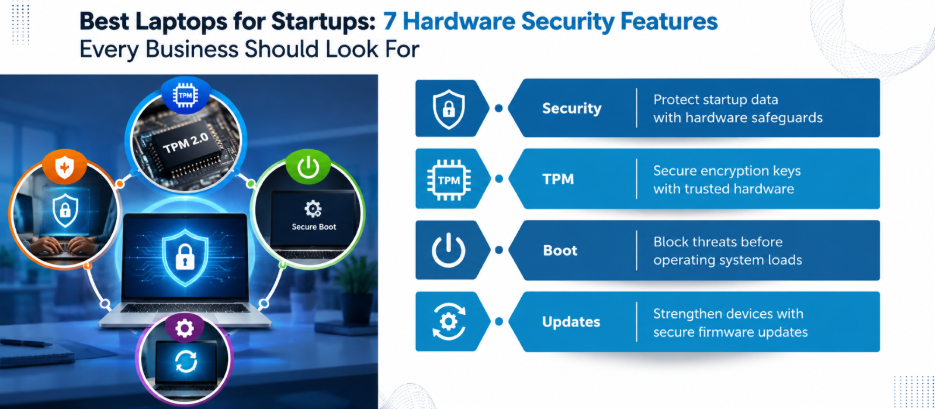
Why Hardware Security Matters to Startups?
Traditional security tools operate largely at the operating-system or application level. Antivirus software, endpoint detection, password managers, and firewalls remain important, but they can be bypassed if an attacker compromises the system before the OS fully loads.
That’s where hardware security creates a deeper layer of protection.
For example, Windows 11 relies on TPM 2.0 for cryptographic key generation, secure storage, encryption, and boot-integrity measurements. Microsoft also incorporates technologies like Secure Boot, virtualization-based security, and, on supported devices, Microsoft Pluton.
That is why the best laptops for startups should have security capabilities below the application layer.
1. TPM 2.0: The Hardware Root of Trust
A TPM, or Trusted Platform Module, is a dedicated security component designed to perform cryptographic operations and protect sensitive information like encryption keys.
For a startup, its value becomes obvious when a laptop is lost.
Windows features like BitLocker and Windows Hello can use TPM capabilities to protect keys and establish trust in the device. TPM-based measurements can also contribute to device-health assessment.
Therefore, TPM 2.0 should be a baseline requirement for Windows 11 business laptops. However, your IT team needs to check that TPM 2.0 is actually turned on, works with your operating system, and is manageable through the device-management process.
2. Secure Boot: Protecting the Startup Chain
Secure Boot addresses what happens before the operating system starts.
This tech uses UEFI firmware to double-check boot components before they’re allowed to run. That extra layer of security makes it tougher for rootkits, boot-level malware, or unauthorized junk to sneak in and hijack your boot process.
Microsoft lists Secure Boot alongside TPM 2.0 and BitLocker as foundational protections for Windows secured-core devices.
For a startup, this matters because an employee may unknowingly carry a compromised laptop into the corporate environment.
3. Hardware-Backed Encryption
Laptop theft is an uncomfortable but realistic business risk.
If an employee’s device disappears from an airport, taxi or coworking space, the physical laptop should not automatically become a gateway to company data.
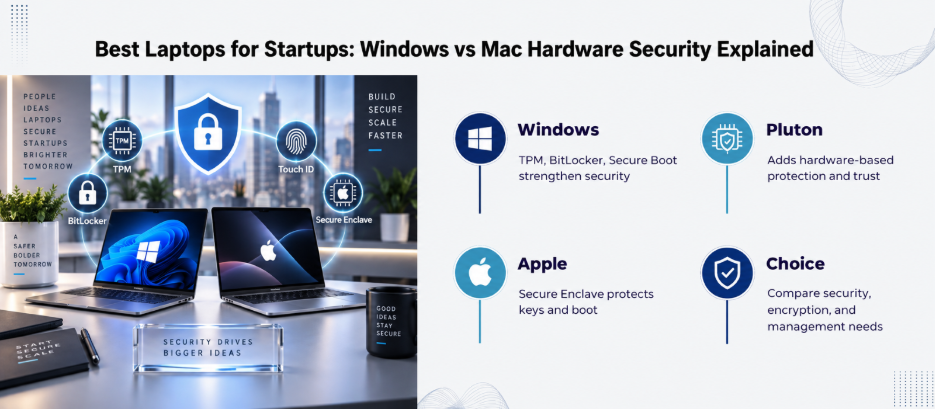
On Windows, BitLocker can use TPM-backed protection for encrypted data. On Mac, FileVault provides built-in full-volume encryption, and Apple silicon Macs use the Secure Enclave and AES hardware capabilities as part of their storage-security architecture.
This is why the best laptops for startups should support centrally managed encryption. Therefore, the procurement checklist should include:
- Hardware-backed key protection
- Full-disk or full-volume encryption
- Central policy management
- Recovery-key management
- Remote device-management compatibility
4. Secure Enclave on Apple Silicon Macs
Startups running Macs should look beyond conventional specifications.
Apple silicon Macs include a Secure Enclave that participates in security functions like protected key handling and the secure boot process. The documented boot architecture starts with code executed from Boot ROM and establishes a chain of trust through subsequent boot components.
FileVault also integrates with hardware security capabilities on Apple silicon Macs.
Both Mac and Windows implement hardware security differently, so the right question is whether the chosen platform provides strong, manageable controls for your startup environment.
5. Microsoft Pluton: Useful, But Don’t Treat It as a Checkbox
Microsoft Pluton is a hardware security processor integrated into supported system-on-chip designs. It provides hardware-based root of trust, secure identity, attestation, and cryptographic services.
However, Pluton availability and configuration vary by processor and device. Microsoft states that beginning with 2026 silicon, Pluton no longer serves as the TPM on new AMD and Qualcomm platforms. In other words, don’t buy a laptop just because its marketing material says “Pluton.”
Ask the manufacturer exactly how TPM 2.0, Pluton, and related security capabilities are configured on the specific model.
6. Virtualization-Based Security
Hardware virtualization capabilities can support security boundaries inside Windows.
Virtualization-based security, or VBS, uses the Windows hypervisor to isolate sensitive security functions from the normal operating-system environment. Microsoft also documents Memory Integrity as a VBS capability that strengthens protection against attacks targeting the Windows kernel.
For startups handling proprietary software, financial information or customer data, this is particularly relevant.
7. Don’t Confuse Hardware Security With Complete Security
This is where many laptop-buying strategies go wrong.
- A TPM cannot stop phishing.
- Secure Boot cannot prevent an employee from installing malicious software after logging in.
- Encryption cannot protect an account whose credentials have already been stolen.
Therefore, hardware security is one layer of a broader endpoint-security strategy. Startups should combine it with strong identity controls, endpoint protection, patch management, device management, least-privilege access, and appropriate backup practices.
A practical way to approach this is to follow a Zero Trust model.
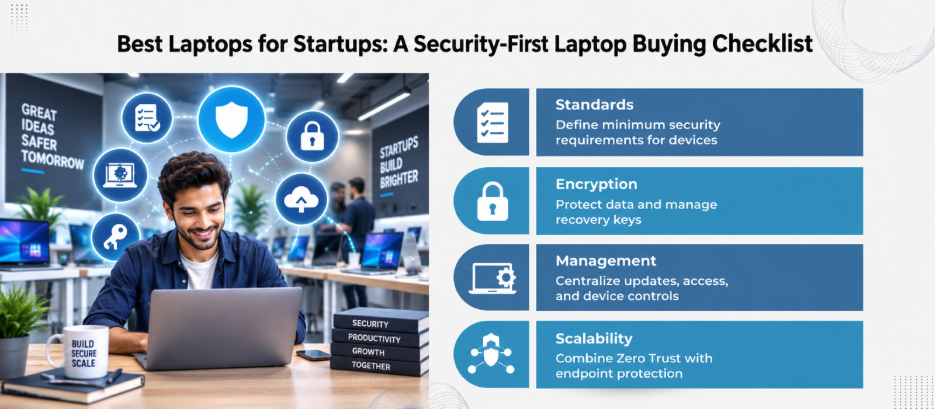
8. Build a Security-First Procurement Checklist
Before purchasing employee laptops, create a minimum security specification.
For Windows devices, consider requiring:
- TPM 2.0
- UEFI Secure Boot
- Hardware-supported encryption
- Windows Hello-compatible authentication
- Virtualization support
- VBS compatibility
- Central device-management compatibility
- A clearly documented firmware-update process
- Business-grade warranty and support
For Macs, evaluate:
- Apple silicon where appropriate
- Secure Boot architecture
- Secure Enclave capabilities
- FileVault support
- Mobile-device-management compatibility
- Account and recovery-key management
- Apple’s security-update lifecycle
Therefore, the best laptops for startups are the ones that fit your operating model naturally and don’t turn management into a headache.
The Bottom Line
Laptop security should start before the employee opens their first browser tab. Therefore, the smarter procurement question is not, “Which laptop gives us the best specifications for the money?”
It is:
“Which laptop gives us the strongest security foundation that our team can realistically manage at scale?”
For a startup, that shift in thinking can turn laptop procurement from a simple hardware expense into a meaningful part of its security architecture.
Ready to make laptop procurement part of your security architecture? Get in touch with us!
FAQs
1. What hardware security feature should every startup prioritize?
For Windows 11 laptops, TPM 2.0 is the baseline. Secure Boot and hardware-backed encryption are also important. However, the exact priorities depend on the operating system and business requirements.
2. Is TPM 2.0 enough to secure an employee laptop?
No. TPM 2.0 provides hardware-backed security functions, but it does not replace endpoint protection, identity security, patch management, encryption policies, or employee security practices.
3. Why is Secure Boot important for business laptops?
Think of Secure Boot as a digital security guard for your startup process. It can reduce exposure to certain boot-level attacks before your laptop or server thinks about loading up.
4. Should startups use BitLocker?
For Windows environments, BitLocker can provide valuable protection for data stored on lost or stolen devices. Organizations should also manage recovery keys appropriately.
5. Do MacBooks have hardware security features?
Yes. Apple silicon Macs incorporate security technologies including the Secure Enclave and secure boot architecture. FileVault provides built-in volume encryption.