Did you know your IT admin can read your mails?
A conversation that made us pause
Yesterday, during a meeting with a client, we were discussing something that most businesses take very seriously: NDAs and confidentiality.
The conversation eventually moved to a question that made us stop and think: How private are the emails we send through our company’s Microsoft 365 account?
We often assume that because every employee has their own username, password and access permissions, their mailbox is private. And for normal day-to-day use, it is. But there is another side to the story that every business owner should be aware of.
Your IT administrator may have the ability to gain access to a user’s mailbox, even though reading employee emails is absolutely not a normal IT task.
Can an Exchange Admin actually read your emails?
Let’s clear up one thing first – Being an Exchange Administrator does not automatically give someone a magic “Read Everyone’s Email” button. Microsoft 365 uses role-based permissions, and administrators don’t automatically have direct access to every user’s mailbox.
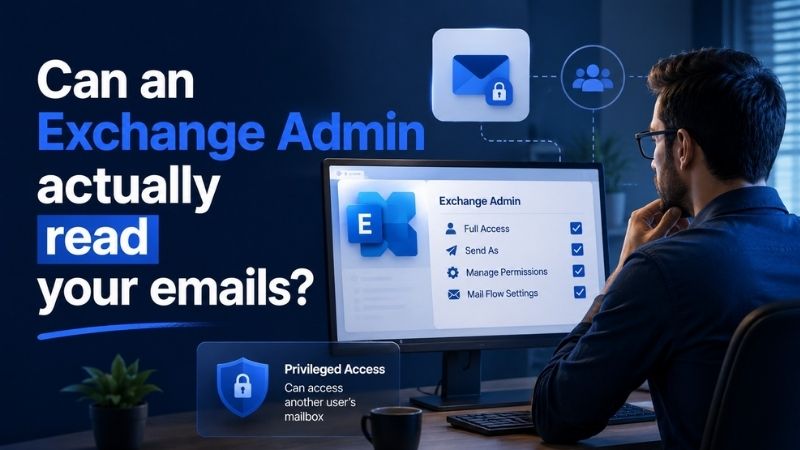
However, a sufficiently privileged administrator can assign mailbox permissions such as Full Access, which allows the assigned user to open and view the contents of another mailbox. Administrators can also configure mailbox forwarding and other mail-flow settings.
And that is where the concern begins. The question isn’t really, “Does our IT admin read everyone’s email?” It is, “Could someone with sufficient administrative privileges gain access to an employee’s mailbox if they wanted to?”
For a business owner dealing with confidential client information, financial discussions, employee matters, contracts, pricing and intellectual property, that’s a very different question.
Why does Microsoft allow this?
Imagine an employee accidentally deletes important emails; someone leaves the organisation and their mailbox needs to be preserved, a serious mail-flow issue needs investigation, or Legal needs information as part of an authorised process.
In these situations, the administrator needs a way to act without having to redesign the entire IT environment every time something goes wrong. So the capability itself isn’t necessarily the problem.
The problem is what happens when that capability exists without proper controls around it. It’s similar to giving a security guard the keys to every room in your building. The keys are necessary for the job. You just don’t want those keys being used without a reason, approval or record.
The NDA problem
This is where the issue becomes particularly relevant for businesses.
We sign NDAs with clients. We have confidentiality agreements with employees. We exchange sensitive documents, pricing, contracts, financial information and business plans over email every single day.
Nobody expects an IT admin to sit and read those emails. But the fact that privileged access can potentially expose that information is itself something businesses should consider when designing their security and governance policies.
It doesn’t necessarily mean there’s a breach; it rather means there is a capability that needs to be governed. And for many businesses, especially growing companies, this is something they may never have thought about.
So, should you remove the admin’s access?
Not really. That’s where things can go wrong in the opposite direction.
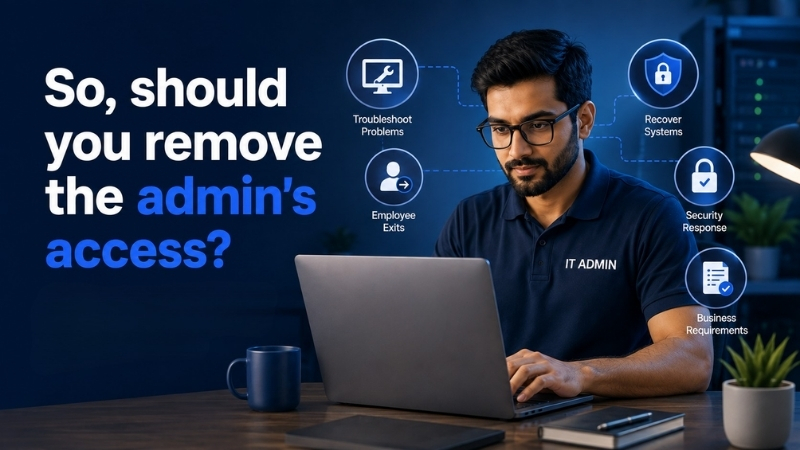
Removing essential administrative privileges from your IT team isn’t a practical solution. Administrators need enough access to recover systems, troubleshoot problems, handle employee exits and respond to legitimate business or security requirements.
The goal should instead be to make privileged access controlled, accountable and visible.
What can businesses do?
There isn’t a magic switch that completely removes this risk. The practical approach is to put a few simple guardrails around privileged access:
1. Give only the access that’s actually needed
Not every IT admin needs the same level of access. Follow the principle of least privilege and keep highly sensitive permissions limited.
2. Separate normal and admin accounts
Administrators should ideally use a separate privileged account for administrative work, rather than using their everyday account for everything.
3. Don’t allow mailbox access without a reason
If someone needs access to an employee’s mailbox, there should be a genuine business reason and an approval process behind it.
4. Keep an audit trail
Microsoft provides mailbox auditing and non-owner mailbox access reporting, which can record who accessed a mailbox, when they accessed it and what actions were performed. Businesses can use these logs to investigate inappropriate access and create accountability around privileged users.
5. Keep forwarding and access permissions under control
Regularly review mailbox forwarding rules and delegated permissions. These can otherwise remain unnoticed long after they were originally created.
6. Have a defined workflow
For sensitive access, keep it simple:
Reason → Approval → Access → Audit → Remove Access
The IT admin needs the keys. That’s part of the job. The important thing is making sure there is a process for using those keys. Just like any other set of master keys, there should be a process for using them.
7. 3rd-Party Audit
Since mailbox access, changes to mailbox permissions, forwarding rules, and other administrative actions – all these activities are logged, consider having an external auditor review the logs on a quarterly basis. This provides an independent check to identify unusual activity, unauthorised access, or any deviation from the defined access protocols, and helps ensure the controls are being followed.
About Nurture IT
Nurture IT, one of the leading IT service providers in Bangalore offers customized scalable technology solutions specifically designed for our client’s unique needs.
As a preferred partner to technology leaders like Lenovo, Dell, Apple, HP, Asus, Tata, Google, Microsoft, Cisco, Sophos, Jamf, Soti, Fortinet, Poly, Okta, Seclore, Seqrite we deploy the most advanced business technology solutions to ensure optimal reliability, productivity, and value.
Our B2B branch, Nurture IT, adeptly serves corporate and scaling-up demands. Conversely, for those not anticipating immediate growth, our Retail division – Laptop World caters to your specific needs. Make an informed choice aligned with your organizational trajectory and immediate necessities.