Are Refurbished Laptops Reliable? What Bangalore Buyers Should Know
Buying a laptop on a tight budget can be challenging. New models are getting more expensive, while refurbished devices often offer similar specifications at considerably lower prices. For students, freelancers, working professionals, and small business owners, the savings can be tempting.
However, a lower purchase price does not automatically mean better value.
The reliability of refurbished laptops in Bangalore depends on several factors, including the device’s age, previous usage, replacement components, battery condition, warranty, and software compatibility. A laptop might look almost new but still have underlying issues that affect its performance.
Before buying, buyers should therefore understand what refurbishment involves, what to inspect, and when spending more on a new laptop makes better financial sense.
What Does Refurbished Actually Mean?
A refurbished laptop is a previously owned or returned device that has been inspected, repaired where necessary, cleaned, and prepared for resale. It may have been used by an individual, returned by a customer, or retired from a company’s IT inventory.
However, no single universal refurbishment standard applies to every seller. One seller might replace faulty components and conduct extensive testing. Another might perform basic cleaning and reinstall the operating system.
This distinction matters.
Refurbished laptops in Bangalore aren’t necessarily defective, but their condition depends heavily on the quality of the inspection and repairs. Therefore, buyers should ask for a written explanation of the refurbishment process rather than relying on the label alone.
Are Refurbished Laptops Reliable for Everyday Use?
They can be. A properly refurbished business laptop may handle browsing, document editing, video calls, accounting software, and other routine tasks comfortably.
Older business models from established product lines can also offer good keyboards, durable chassis designs, and useful connectivity options.
However, processor and RAM alone don’t determine reliability. Consider these potential problems:
- Battery degradation: Lithium-ion batteries lose capacity over time and with repeated charge cycles. A laptop may work perfectly while providing less backup than it did originally.
- Storage wear: Older SSDs and hard drives may have experienced heavy usage. Their remaining health should be checked.
- Thermal problems: Dust buildup, ageing fans, and deteriorated thermal paste can lead to overheating and performance throttling.
- Display and hinge damage: Previous handling may leave pressure marks, loose hinges, dead pixels, or uneven backlighting.
- Keyboard and port failures: Frequently used keys, USB ports, charging connectors, and audio jacks may develop problems over time.
These issues are not inevitable. However, they make physical inspection and proper testing necessary.
6 Things Bangalore Buyers Should Check Before Purchasing
If you are considering refurbished laptops in Bangalore, don’t decide based solely on the advertised specifications. Check the following:
1. Check the Processor Generation
A Core i5 label does not tell you everything. An older Core i5 can be much slower than a newer one.
Check the exact processor model, generation, core count, and compatibility with your intended applications. Also verify whether the device supports a currently supported operating system.
2. Inspect Battery Health
Ask the seller to provide a battery health report. On Windows, you can generate one using:
powercfg /batteryreport
Compare the battery’s design capacity with its current full-charge capacity. A substantial difference indicates reduced battery capacity.
Also test the laptop unplugged. A battery report alone cannot reveal every possible charging or power issue.
3. Check the SSD and RAM
An SSD generally provides a better everyday experience than an older mechanical hard drive. Check its health using a reputable diagnostic utility.
For RAM, verify the installed capacity, available upgrade slots, and whether the memory is replaceable or soldered.
4. Examine the Physical Condition
Inspect the screen against different backgrounds. Test every keyboard key, touchpad, webcam, microphone, speaker, USB port, HDMI port, and charging connector.
Pay particular attention to hinges, the laptop base, and signs of liquid damage.
5. Verify Windows and Security Compatibility
This is particularly important in 2026. Windows 10 reached the end of standard support on October 14, 2025.
Check whether the laptop officially supports Windows 11. Look for TPM 2.0, Secure Boot capability, and a supported processor.
Avoid buying an older device simply because the seller has installed a newer operating system through an unsupported workaround.
6. Ask About Warranty and Service
Get the warranty period and coverage in writing. Clarify whether it covers the motherboard, display, battery, charger, and replacement components.
Also ask who handles repairs, how quickly service is available, and whether replacement parts can be sourced locally.
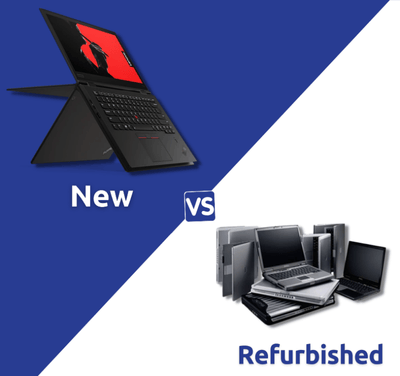
Refurbished vs New Laptops: Which Offers Better Value?
The decision becomes clearer when you consider the total cost of ownership rather than the initial price.
A refurbished device can make sense when the price difference is substantial, and the seller provides transparent testing, a meaningful warranty, and a clear return policy.
But consider a different situation. Suppose a refurbished laptop costs only slightly less than a comparable new model. If it also needs a battery replacement, has limited warranty coverage, or cannot support the software you need, the savings can disappear quickly.
A new laptop also offers a cleaner ownership history, a fresh battery, and a longer potential service life from the date of purchase.

When Should You Consider Buying a New Laptop?
Consider a new laptop if:
- You need it for daily professional work and cannot afford unexpected downtime.
- You regularly attend online meetings or work remotely.
- You use demanding applications that require newer processors and sufficient memory.
- You want a longer period of operating system compatibility.
- You expect to keep the device for several years.
- The refurbished model’s total cost approaches that of a comparable new device.
For business users, this decision deserves additional attention. A laptop is not just a purchase; it is a productivity tool. Delayed repairs, battery failures, and compatibility problems can affect deadlines and daily operations.
Make the Purchase Based on Long-Term Value
Refurbished laptops are not inherently unreliable. A carefully tested device from a reputable seller can serve its owner well. However, buyers should not confuse a low price with a good deal.
Before purchasing, compare the processor generation, battery health, storage condition, warranty, software compatibility, and likely repair costs. Most importantly, compare the final price with that of a new laptop offering similar performance.
For buyers who need dependable performance over several years, a new business laptop may prove more economical in the long run.
At Nurture IT, we help businesses assess their hardware requirements and choose new business laptops. Get in touch with us!