Startup IT Checklist: Everything You Need Before Hiring Employees
Launching a startup is an exciting milestone, but hiring your first employees brings a new layer of responsibility, especially when it comes to IT infrastructure, security, and compliance. Before onboarding your team, it’s essential to have a robust IT foundation that supports productivity, protects data, and scales with your business.
Working with a top IT consultancy in Bangalore can help startups avoid costly mistakes, streamline setup, and align technology with business goals. In this guide, we outline a comprehensive IT checklist every startup should follow before hiring employees.
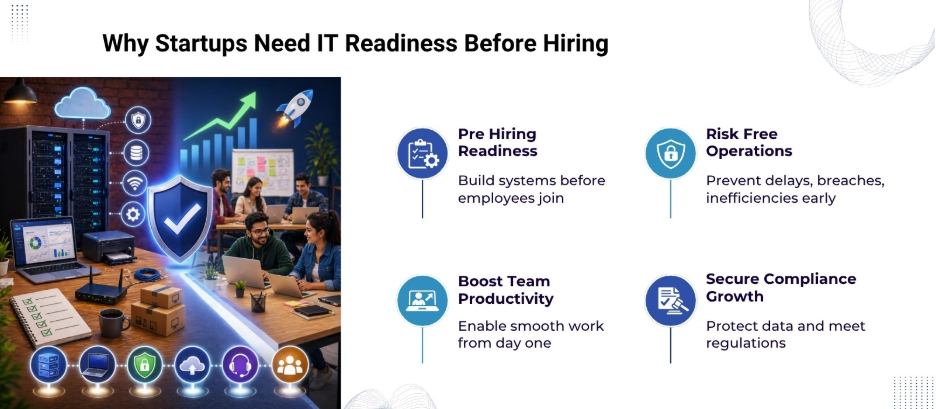
Why IT Readiness Matters Before Hiring
Hiring employees without proper IT systems in place can lead to inefficiencies, data risks, and operational delays. From device management to cybersecurity policies, a structured IT setup helps:
- Improve employee productivity from day one
- Protect sensitive business and customer data
- Maintain compliance with regulations
- Enable seamless communication and collaboration
A well-prepared IT environment also reduces downtime and builds a professional work culture.
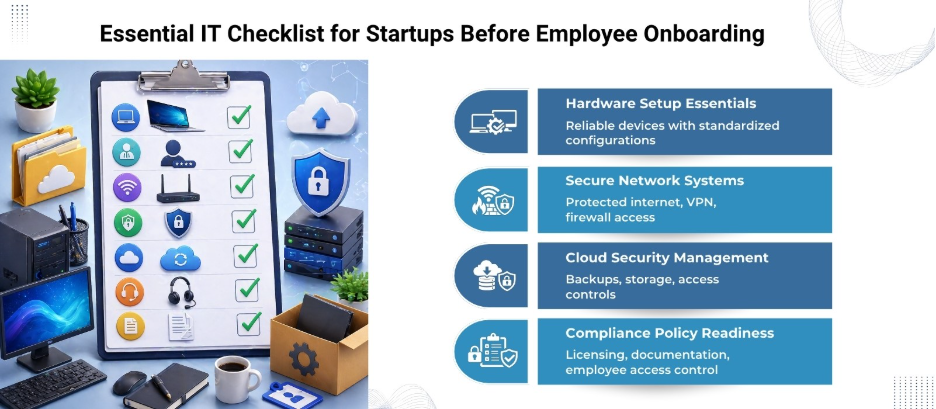
Complete IT Checklist for Startups
Below is a detailed breakdown of everything your startup needs before onboarding employees.
1. Business-Grade Hardware Setup
Start with reliable hardware for your team. This includes:
- Laptops or desktops (based on job roles)
- Monitors, keyboards, and accessories
- Printers or scanners (if required)
- Backup power solutions (UPS or inverters)
Tip: Standardize device configurations to simplify maintenance and upgrades.
2. Secure Network Infrastructure
A secure and stable internet connection is vital. Therefore, prioritize:
- High-speed broadband connection
- Business-grade routers and firewalls
- Separate networks for guests and employees
- Virtual Private Network (VPN) for remote access
Unsecured networks are one of the most common entry points for cyber threats, making this a top priority.
3. Professional Email and Communication Tools
Avoid using personal email accounts for business operations. Instead, use:
- Domain-based email (e.g., yourname@company.com)
- Communication platforms like Slack or Microsoft Teams
- Video conferencing tools such as Zoom or Google Meet
These tools improve collaboration and present a professional brand image.
4. Cloud Storage and File Management
Cloud solutions offer flexibility and scalability. Therefore, you can:
- Leverage Google Workspace or Microsoft 365 for file storage
- Maintain a structured folder hierarchy for easy access
- Utilize access controls to restrict sensitive data
- Protect integrity through automated backups
Cloud platforms also support remote work and real-time collaboration.
5. Cybersecurity Measures
Cybersecurity is non-negotiable, even for small startups. Thus, invest in the following:
- Antivirus and anti-malware software
- Endpoint protection for all devices
- Multi-factor authentication (MFA)
- Regular software updates and patches
- Firewall configuration
Data breaches can be expensive and damage your reputation, so investing early is compulsory.
6. IT Policies and Documentation
Clear policies help employees understand acceptable use and responsibilities. This translates to:
- Acceptable Use Policy (AUP)
- Password management guidelines
- Data protection and privacy policies
- Incident response plan
Documented policies create accountability and reduce risks.
7. Employee Access Management
Control who can access what within your systems. Therefore, implement:
- Role-based access control (RBAC)
- Identity and Access Management (IAM) tools
- Secure onboarding and offboarding processes
This prevents unauthorized access and protects sensitive information.
8. Software and Licensing
Provide employees with the tools they need to perform their roles, including:
- Operating systems (Windows, macOS, Linux)
- Productivity tools (Office suites, CRMs, project management software)
- Licensed software to avoid legal issues
Tracking licenses also helps manage costs effectively.
9. Data Backup and Disaster Recovery
Data loss can disrupt operations significantly. Hence, prioritize:
- Automated daily backups
- Cloud and local backup options
- Disaster recovery plan with defined timelines
- Regular backup testing
Preparedness helps minimize downtime in case of unexpected events.
10. Compliance and Legal Requirements
Depending on your industry, compliance may be mandatory.
- Data protection laws
- Industry-specific regulations
- Secure data storage practices
- Audit-ready documentation
Ignoring compliance can lead to penalties and legal complications.
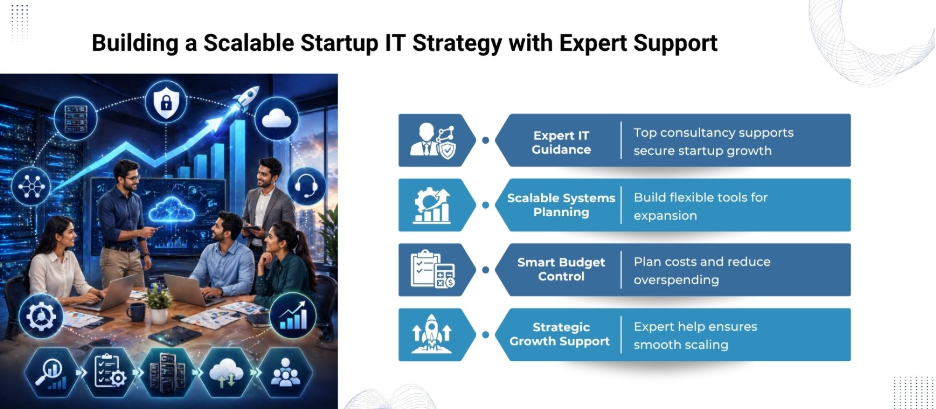
Role of a Top IT Consultancy in Bangalore
Partnering with a top IT consultancy in Bangalore, like Nurture IT in Indiranagar, gives startups access to expert guidance and scalable solutions.
Our firm specializes in:
- Setting up IT infrastructure tailored to startup needs
- Implementing cybersecurity frameworks
- Managing cloud migration and services
- Offering ongoing IT support and monitoring
Instead of building everything in-house, startups can leverage our expertise to save time and reduce errors.
How to Build a Scalable IT Setup
Startups need systems that grow with them. Here’s how to plan ahead:
- Choose cloud-based tools with flexible pricing
- Use modular software that integrates easily
- Invest in automation for repetitive tasks
- Regularly review and upgrade systems
Scalability reduces long-term costs and supports business expansion.
IT Budget Planning for Startups
Budgeting for IT is often challenging but necessary.
Key Cost Areas:
- Hardware purchases
- Software subscriptions
- Cybersecurity tools
- IT support services
Cost-Saving Tips:
- Use open-source tools where possible
- Opt for subscription-based services
- Outsource IT management initially
A structured budget helps maintain financial stability while building a strong IT foundation.
Final Thoughts
Hiring your first employees is a major step, but without proper IT preparation, it can quickly become overwhelming. Therefore, a well-planned IT setup not only supports your team but also protects your business from risks and inefficiencies.
By following this checklist and partnering with a top IT consultancy in Bangalore, like Nurture IT in Indiranagar, startups can build a secure, scalable, and efficient work environment from day one. Contact us today!
FAQs
1. What IT setup is required before hiring employees in a startup?
A startup needs hardware, secure internet, email systems, cloud storage, cybersecurity tools, and IT policies before hiring employees.
2. Why is cybersecurity important for startups?
Startups handle sensitive data and are often targeted due to weaker defenses, making cybersecurity essential.
3. Should startups use cloud storage or local servers?
Cloud storage is generally preferred due to flexibility, scalability, and remote access capabilities.
4. How can a top IT consultancy in Bangalore help startups?
They assist with infrastructure setup, cybersecurity, cloud solutions, and ongoing IT support.
5. What is the role of access management in IT systems?
It controls who can access specific data and systems, reducing the risk of unauthorized access.
6. How often should startups back up their data?
Daily automated backups are recommended for most startups.
7. What are the common IT mistakes startups make?
Delaying security measures, poor access control, lack of backups, and ignoring scalability.