What to Do in the First 24 Hours After a Ransomware Attack?
It’s 9 AM on a Tuesday. Someone in accounts can’t open a single file, and within minutes, three more people report the same problem. A note pops up on the screen demanding payment in cryptocurrency. This isn’t a drill — it’s a ransomware attack, and what happens in the next 24 hours will decide how much this costs your business in money, downtime, and trust.
Most of the damage in a ransomware incident doesn’t come from the malware itself. It comes from panic. People yank out power cords, delete files trying to “clean up,” or quietly pay the ransom without telling anyone. None of that helps.
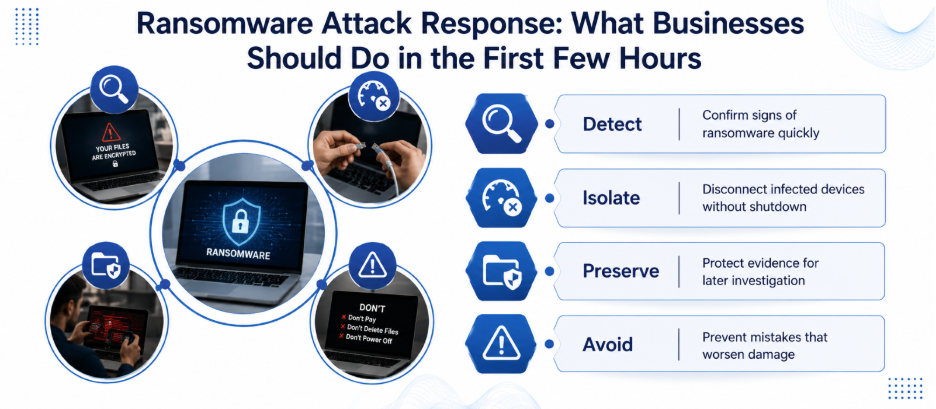
In this blog, we discuss a clear, factual walkthrough of what actually needs to happen, hour by hour, plus what cybersecurity solutions companies see repeatedly when they respond to real incidents.
Minute One: Confirm What You’re Actually Looking At
Before anything else, check whether this is genuinely ransomware or just a slow server, a stuck backup job, or a phishing pop-up. Look for the signs — file extensions changed to something unfamiliar, a ransom note dropped into every folder, or shared drives suddenly locked. If someone recently clicked a suspicious link or attachment, that’s often the entry point worth checking first. Many ransomware infections start exactly there, similar to what happens after accidentally clicking a phishing email.
Step 1: Disconnect — But Don’t Destroy Evidence
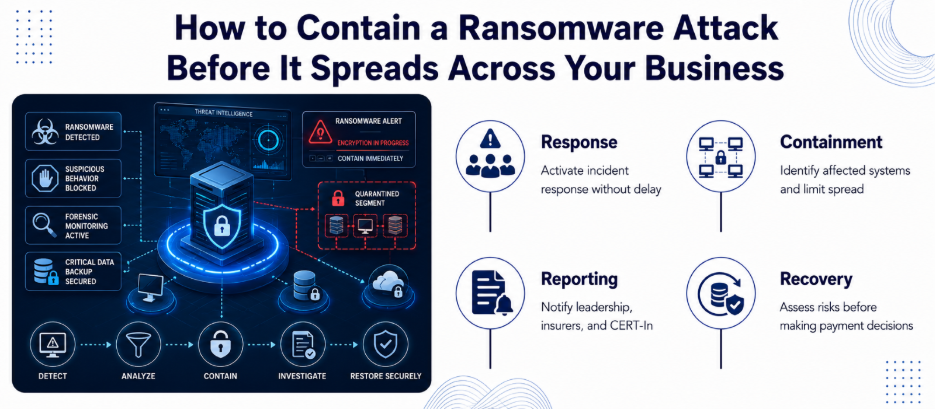
Isolate affected machines immediately, but do it carefully. Unplug the network cable or turn off Wi-Fi on infected devices rather than shutting them down completely. Powering off a machine can erase volatile memory that investigators later need to understand how the attacker got in. If dozens of machines are affected, it’s faster and safer to disable the switch port or take that entire network segment offline.
One detail people often miss: communicate about the incident over phone calls or a messaging app outside your normal work email, not through the compromised network. If the attacker is still inside your systems, they may be watching how you respond.
Step 2: Call in Help Before You Touch Anything Else
This is the moment to activate your incident response plan or bring in outside expertise. If your business doesn’t have dedicated security staff on hand, reputable cybersecurity solutions companies can step in with digital forensics and incident response (DFIR) skills your internal IT team likely hasn’t had to use before. Speed matters here — the faster an experienced team gets involved, the better your odds of limiting data loss and downtime.
Step 3: Preserve Evidence Like a Detective
Photograph the ransom note with your phone instead of screenshotting from the infected machine. Note the exact time you discovered the attack, which systems showed symptoms first, and any unusual activity from the days before — large file transfers, new user accounts, or antivirus software getting disabled. This timeline matters a great deal for the investigation.
Step 4: Figure Out What Actually Got Hit
Work with your response team to map the blast radius. Which servers, shared drives, or cloud accounts were touched? Ransomware groups frequently steal data before encrypting it, so check your logs for large outbound transfers or unfamiliar tools. This distinction matters — a straightforward encryption event is a very different problem from a double-extortion attack where stolen data could get leaked publicly regardless of what you decide next.
Step 5: Notify the Right People (Not Just IT)
Within the first few hours, loop in company leadership, legal counsel, and your cyber insurance provider — many policies require notice within 24 to 72 hours, and missing that window can affect your coverage. In India, CERT-In requires reporting ransomware incidents within six hours of noticing them. This isn’t optional paperwork; it carries legal weight.
Step 6: Resist the Urge to Pay Immediately
Paying the ransom feels like the fastest way out, but experts state that payment doesn’t guarantee your files come back or that the attacker won’t target you again. Therefore, any decision about payment should go through legal counsel and law enforcement first — in certain cases, paying a sanctioned group can even create legal exposure for your business.
Step 7: Reset Credentials Before You Rebuild Anything
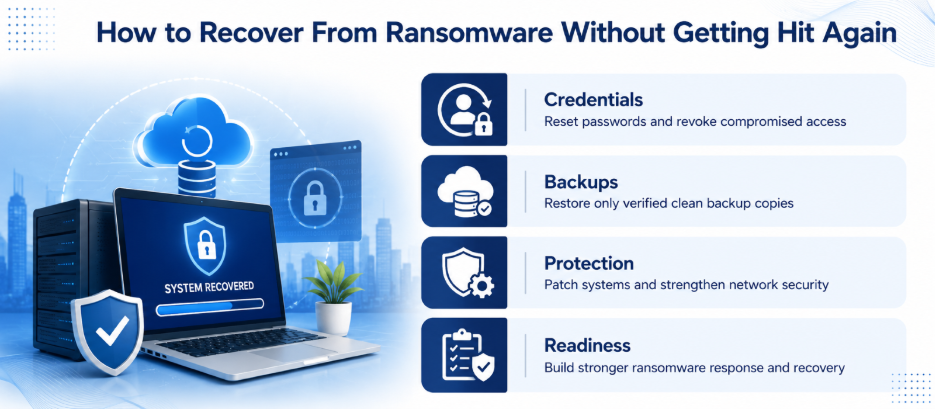
If attackers reached domain admin access, treat every credential in that domain as compromised. Reset passwords, revoke active sessions, and rotate service account keys before restoring a single system. Reusing old credentials during recovery is one of the most common reasons organizations get hit a second time within days. A pre-configured breakglass account makes this step less chaotic when regular admin access is unavailable.
Step 8: Restore From Backups You Actually Trust
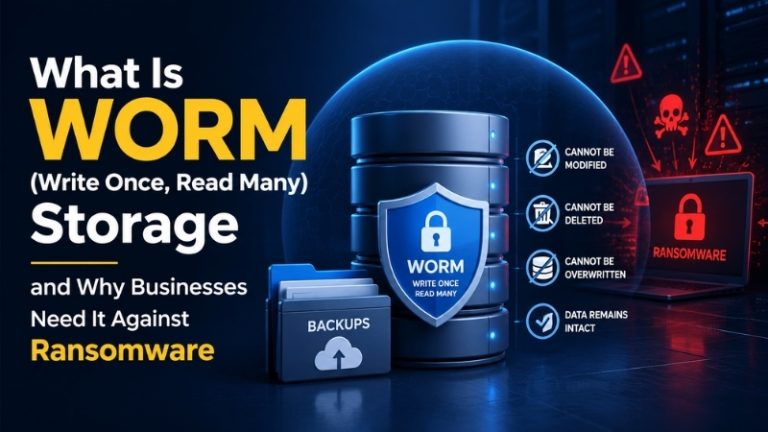
Bring systems back online only from backups verified as clean and untouched — not just the most recent one, since ransomware often sits quietly for days before triggering. This is where a solid 3-2-1 backup strategy and immutable, write-once storage genuinely pay off, since attackers can’t encrypt or delete what they can’t modify. Patch and update every rebuilt system before reconnecting it, and watch it closely for the next few days.
Prevention Beats the Cure
Every business that’s been through a ransomware incident says the same thing: the first 24 hours are manageable when a plan already exists. That’s why working with experienced cybersecurity solutions companies before an attack happens means your team already knows who to call, your backups are already tested, and your network already has the segmentation and endpoint protection.
Pair that with a documented information security policy and zero-trust access controls, and the “first 24 hours” becomes less likely to turn into a “first 24 days” recovery.
Don’t let ransomware catch you off guard. Partner with Nurture IT to build a calm, battle-tested incident response strategy.
FAQs
1. What’s the very first thing I should do if I suspect a ransomware attack?
Confirm what you’re seeing is actually ransomware, then disconnect the affected device from the network right away. Unplug the cable or turn off Wi-Fi rather than shutting the machine down completely.
2. Should I turn off the infected computer completely?
Not unless there’s no other option. Shutting a machine down erases data in memory that investigators need to trace how the attacker got in. Disconnecting it from the network is usually the safer move.
3. Should my business pay the ransom?
Experts advise against it as a first move. Paying doesn’t guarantee your files will be returned, and it can mark your business as a repeat target. Any payment decision should involve legal counsel and law enforcement.
4. Who do I need to notify after a ransomware attack in India?
CERT-In requires ransomware incidents to be reported within six hours of noticing them. Alongside that, notify your leadership, legal team, and cyber insurance provider as early as possible.
5. How do I know if my backups are safe to use?
Check the timestamp against when the attacker likely gained access — ransomware can sit undetected for days or weeks. Restore only from a backup version confirmed to predate the compromise, ideally one stored on immutable or write-once storage.